

Affiliate Disclaimer: Some links in this article are affiliate links. This means if you click a link and make a purchase, SecVerse may earn a small commission — at no extra cost to you. We only recommend tools we genuinely believe in and that we consider useful for your cybersecurity learning journey. Our editorial opinions are never influenced by affiliate relationships.
Introduction :
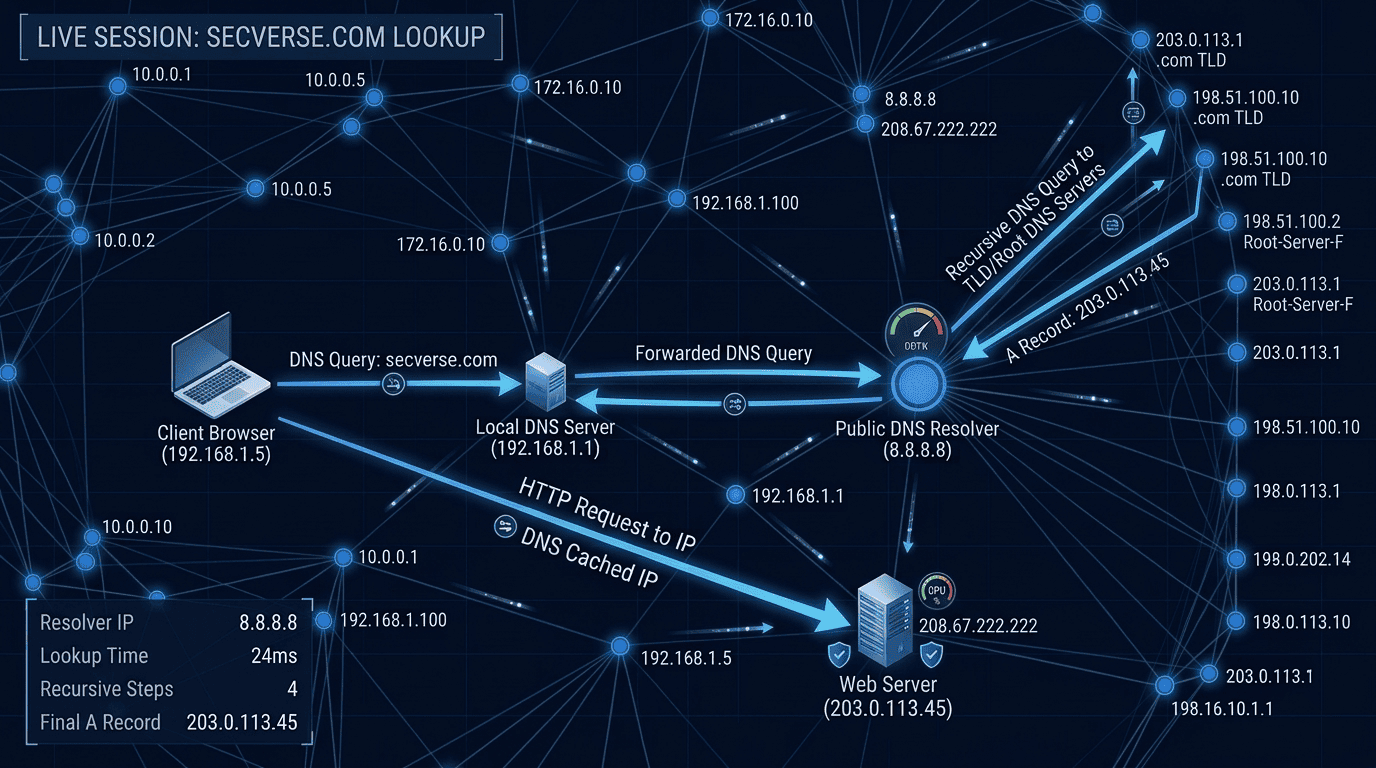
The last article in this series covered how devices get addressed and how names resolve to those addresses — IP addressing, subnetting, and DNS. That is the layer that gets two systems pointed at each other.
This article moves one layer up. Once two systems can find each other, what rules govern how they actually talk? That is what a protocol is — and network protocols cybersecurity work depends on the same discipline: know what each one does, and know exactly where it fails.
Early in my security career, I was asked to review a system that had been flagged for suspicious activity. The logs showed outbound connections to an external server on port 21.
FTP. Unencrypted. Running on a production server. Transmitting files — and credentials — in plaintext over the internet.
The system had been compromised for weeks before anyone noticed. The attackers were using the FTP connection to exfiltrate data in plain sight. Every firewall between the server and the internet was letting port 21 traffic through because FTP was considered a legitimate service.
That incident taught me something I have not forgotten: knowing what a protocol does is only half the knowledge. Understanding where it fails is the other half. And for every protocol that carries data, there is a failure mode that attackers exploit.
Why Protocols Matter in Security
A protocol is a set of rules that defines how two systems communicate. When you browse a website, HTTP or HTTPS handles the communication. When you connect to a remote server, SSH (or the insecure Telnet) handles it. When you send email, SMTP carries it.
Every protocol has a design, and every design has assumptions. Attackers find the gaps between what the protocol assumes and what is actually possible. That gap is where network protocols cybersecurity work actually happens.
“Always searching, searching, searching — gathering information, deeply studying the target behavior.”
HTTP and HTTPS — The Web Protocols

HTTP — HyperText Transfer Protocol
HTTP is the foundation of web communication. It is a request-response protocol: the client sends an HTTP request, the server sends an HTTP response. Everything is transmitted in plaintext.
| HTTP Method | What It Does | Security Relevance |
|---|---|---|
|
GET |
Requests a resource from the server. |
Parameters in the URL are visible in logs, browser history, and to anyone who can intercept traffic. Never use GET for sensitive data. |
|
POST |
Sends data to the server in the request body. |
Body is still plaintext over HTTP. Over HTTPS it is encrypted. SQL injection and XSS attacks often target POST parameters. |
|
PUT |
Creates or replaces a resource on the server. |
If not properly authorized, attackers can upload malicious files or replace existing content. |
|
DELETE |
Deletes a resource. |
Improper authorization allows unauthorized deletion. Often unprotected in poorly configured APIs. |
|
OPTIONS |
Asks the server what methods it supports. |
Used in reconnaissance. Reveals what the server allows. CORS misconfigurations exposed through OPTIONS. |
HTTPS — HTTP Secured with TLS
HTTPS is HTTP wrapped in TLS (Transport Layer Security). The content of the communication is encrypted so that anyone intercepting the traffic sees only encrypted data, not the actual request and response.
| Feature | HTTP | HTTPS |
|---|---|---|
|
Encryption |
None. Everything is plaintext. |
TLS encryption. Data in transit is encrypted. |
|
Port |
80 |
443 |
|
Certificate |
Not required. |
Requires a valid TLS certificate from a trusted CA. |
|
Credential security |
Passwords transmitted in plaintext. Any network observer can capture them. |
Credentials encrypted in transit. |
|
Attack surface |
Man-in-the-middle, credential capture, session hijacking. |
SSL stripping (downgrade attack), certificate spoofing, TLS version vulnerabilities. |
|
When to use |
Never for anything sensitive. Development/testing only. |
Always. Every production website must use HTTPS. |
SSH — Secure Shell
SSH (Secure Shell) is the standard protocol for secure remote access to systems. It replaced Telnet, which transmitted everything in plaintext. SSH encrypts all communication between client and server.
| SSH Feature | How It Works | Security Note |
|---|---|---|
|
Authentication |
Password or public key authentication. |
Public key authentication is significantly stronger. Password auth is vulnerable to brute force. Always prefer key-based auth. |
|
Encryption |
All session data encrypted. Commands, output, file transfers. |
Even if traffic is captured, it cannot be read without the session keys. |
|
Port |
Default: TCP port 22. |
Changing the default port reduces automated scanning noise but is not security. Attackers scan all ports. |
|
SSH tunneling |
Create an encrypted tunnel through which other traffic can pass. |
Both offensive (attackers tunnel malicious traffic) and defensive (secure connections through untrusted networks). |
|
SFTP/SCP |
File transfer over SSH. |
Replace FTP and Telnet with these encrypted alternatives. |
| SSH Attack | How It Works | Defense |
|---|---|---|
|
Brute Force |
Automated attempts to guess the password. |
Public key authentication only. Fail2ban. Rate limiting. |
|
Key Compromise |
Private key stolen from client machine. |
Protect private keys with strong passphrases. Rotate keys regularly. |
|
Weak Algorithms |
Old SSH implementations support weak ciphers. |
Enforce strong algorithms in sshd_config. Disable old ciphers and key exchange algorithms. |
|
Unauthorized Key Addition |
Attacker adds their public key to authorized_keys. |
Monitor authorized_keys changes. Use file integrity monitoring. |
FTP — File Transfer Protocol (and Why You Should Avoid It)
FTP (File Transfer Protocol) is one of the oldest internet protocols still in use. It transfers files between systems over TCP. It has one critical flaw: it transmits everything — commands, data, and credentials — in plaintext.
This is not a theoretical risk. Anyone on the same network segment, or anyone who can intercept traffic between client and server, can capture the FTP username and password with a simple packet capture. This is exactly the kind of gap network protocols cybersecurity work exists to find before an attacker does.
| FTP Issue | What It Means in Practice |
|---|---|
|
Plaintext credentials |
Username and password transmitted in cleartext. Captured trivially with Wireshark or tcpdump. |
|
Active vs Passive mode |
FTP has two connection modes with different firewall behaviors. Misconfigured firewalls often leave unexpected ports open. |
|
Anonymous FTP |
FTP servers configured to allow login without credentials. Often left enabled accidentally. Common finding in penetration tests. |
|
FTP bounce attack |
Use an FTP server as a proxy for port scanning. Mostly patched in modern servers but demonstrates the protocol’s design flaws. |
|
Alternatives |
SFTP (SSH file transfer) and FTPS (FTP over TLS) both encrypt credentials and data. Use these instead. |
SMTP — Simple Mail Transfer Protocol
SMTP is the protocol that sends email. It runs on port 25 (server to server), 587 (client to server, authenticated submission), and sometimes 465 (SMTPS, encrypted). Email abuse is one of the oldest network protocols cybersecurity problems, and it is still one of the most common.
| SMTP Attack | How It Works | Defense |
|---|---|---|
|
Open Relay |
SMTP server configured to forward mail from any source to any destination. Used to send spam and phishing at scale. |
Restrict relay to authenticated users only. Most modern mail servers have this enabled by default. |
|
Email Spoofing |
Send email appearing to come from a legitimate domain. SPF, DKIM, and DMARC are designed to prevent this. |
Implement SPF (authorized sending IPs), DKIM (cryptographic signature), DMARC (policy enforcement). |
|
SMTP Enumeration |
Use VRFY and EXPN commands to enumerate valid email addresses on the server. |
Disable VRFY and EXPN. Rate limit SMTP connections. |
|
Credential Brute Force |
Brute force SMTP authentication to gain access to email accounts. |
Rate limiting. Account lockout. MFA on email accounts. |
|
Phishing via Misconfigured SMTP |
Exploit open relays or weak authentication to send convincing phishing emails. |
SPF/DKIM/DMARC, email filtering, user awareness training. |
Telnet — The Protocol You Should Never Use
Telnet is SSH’s insecure predecessor. It provides remote terminal access over TCP on port 23. Every character you type, every command you run, every password you enter — all transmitted in plaintext.
Telnet should never be used on any production system. The only legitimate reason to encounter Telnet today is as a quick connectivity testing tool (nc or telnet to a port to check if it is open) or on legacy embedded systems that have not been updated. It is the clearest example in network protocols cybersecurity of a protocol that should have been retired.
If you find Telnet running on a penetration test target, it is an immediate critical finding.
From a security perspective, subnets are the mechanism that makes network segmentation possible. If you compromise a device on the guest WiFi subnet, you cannot automatically reach the server subnet — unless the firewall rules allow it.
Network Protocols Cybersecurity Quick Reference
Here is every protocol covered in this article in one place — the reference table you will actually reuse when you are doing network protocols cybersecurity work in the field.
| Protocol | Port | Encrypted | Authentication | Use In Security |
|---|---|---|---|---|
|
HTTP |
80 |
No |
None |
Web app attacks, credential capture, man-in-the-middle |
|
HTTPS |
443 |
Yes (TLS) |
Certificate |
SSL stripping, certificate attacks, web app attacks over encrypted channel |
|
FTP |
21 |
No |
Plaintext password |
Credential capture, anonymous access, banner grabbing |
|
SFTP |
22 (via SSH) |
Yes |
Key or password |
Secure file transfer alternative to FTP |
|
FTPS |
990/21 |
Yes (TLS) |
Password over TLS |
Secure FTP alternative, less common than SFTP |
|
SSH |
22 |
Yes |
Key or password |
Remote access, tunneling, file transfer |
|
Telnet |
23 |
No |
Plaintext password |
Never use. Immediate critical finding in a pentest. |
|
SMTP |
25/587/465 |
Optional (STARTTLS/TLS) |
Optional |
Email relay attacks, spoofing, enumeration |
|
DNS |
53 |
No (default) |
None |
Reconnaissance, DNS attacks, tunneling |
|
DNS over HTTPS |
443 |
Yes |
Certificate |
Encrypted DNS — harder to monitor, harder to block |

My Experience — The Protocol That Cost Weeks of Undetected Access
The FTP incident I described at the beginning of this article was not unique. In almost every penetration test I have conducted on organizations that had been running for more than ten years, I have found at least one legacy protocol still operating: an old FTP server, a Telnet-enabled network device, an SMTP relay that was never locked down.
These protocols persist not because anyone decided to keep them. They persist because no one decided to remove them. The legacy system that ‘just works’ is never prioritized for modernization — until it is the entry point for a breach.
When you are doing a penetration test or a security assessment, protocol reconnaissance is one of the highest-value network protocols cybersecurity activities in your arsenal. Not because the protocols themselves are exotic, but because organizations simply forget about them.
Recommended Resources
| Resource | Type | Best For | Link |
|---|---|---|---|
|
CompTIA Network+ Study Guide |
Book |
Protocol fundamentals — all major protocols covered |
|
|
The Web Application Hacker’s Handbook |
Book |
HTTP/HTTPS attack surface — essential for web security |
|
|
Hacking: The Art of Exploitation |
Book |
Protocol-level exploitation — how attacks work at the packet level |
|
|
Wireshark |
Platform |
Capture and analyze each protocol in real time — free |
|
|
TryHackMe — Pre-Security Path |
Platform |
Protocol labs: HTTP, FTP, SMTP in hands-on guided rooms |
Final Thoughts
Protocols are the language of the internet. Every attack speaks that language. SQL injection travels over HTTP. Credential theft happens over FTP and Telnet. Phishing begins with SMTP.
You do not need to memorize every RFC. You need to understand what each protocol does, how it authenticates, whether it encrypts, and where it fails. That is network protocols cybersecurity in one sentence, and that understanding will guide every investigation you conduct and every finding you report.
IP addressing is the language of networks. DNS is the translation layer that makes that language human-readable. Together, they determine how every device finds and communicates with every other device. Mastering IP addressing is one of the most practical cybersecurity skills you can build, because every other network topic rests on it.
Attackers read DNS records before touching a target. Defenders monitor DNS for signs of data exfiltration and command-and-control traffic. Incident responders trace attacks hop by hop through IP address logs.
Learn this material until it becomes instinct. You will use it every day.
What's Coming Next
You now know what each protocol does, how it authenticates, and where it fails. The next article shows you what organizations build on top of that knowledge: firewalls that filter traffic based on protocol and port, VPNs that encrypt it across untrusted networks, and the traffic control rules that decide what gets through. Firewall rules stop looking arbitrary once you understand the protocols they are written to control.
“This article contains affiliate links. See our full disclaimer policy.”