Flipper Zero

Sub-GHz Radio, RFID, NFC, Infrared, GPIO, and iButton in a Single Handheld Device
Flipper Zero — The Security Multi-Tool That Fits in Your Pocket

What is Flipper Zero?

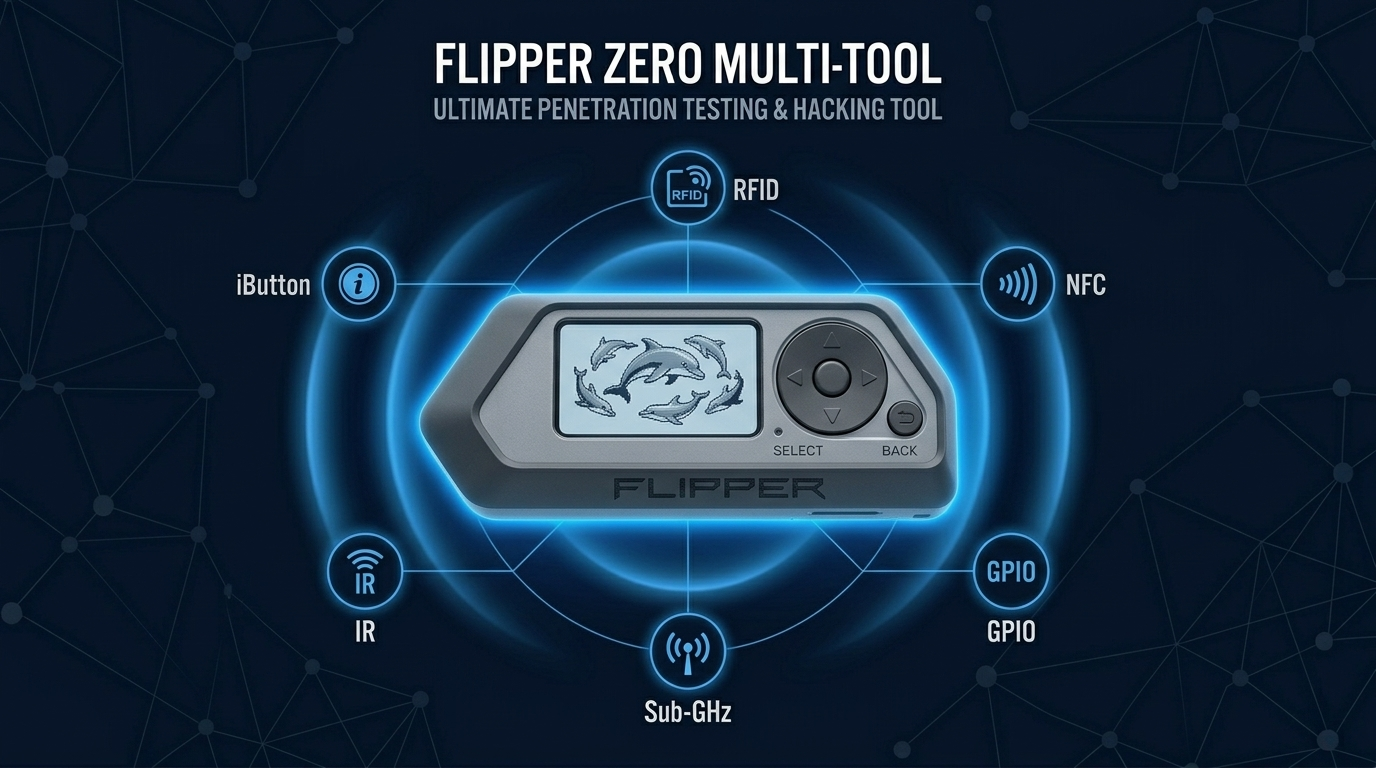
Flipper Zero is a portable, open-source hardware hacking multi-tool that fits in your pocket. It’s designed for interacting with digital and physical systems — radio frequencies, access control cards, infrared remotes, GPIO electronics, and more — all from a single handheld device with a built-in display and navigation controls. Originally funded via a Kickstarter campaign that raised over $4.8 million, it has become one of the most talked-about security research tools in the community. It consolidates tools that previously required five or six separate devices.

Is This Right for You?

This is for you if...

  • You’re a penetration tester assessing physical access controls and wireless protocols
  • You’re a security researcher working on RFID, NFC, infrared, or Sub-GHz systems
  • You’re a student who wants hands-on hardware security experience without buying multiple devices
  • You’re curious about how the physical layer of security works — access cards, garage doors, IoT sensors
  • You enjoy tinkering — Flipper Zero’s open firmware and active developer community reward experimentation

This is NOT for you if...

  • You only work in software or network security — Flipper Zero is a hardware tool
  • You want pre-built, automated attack payloads like Hak5 provides — Flipper requires more manual interaction
  • You’re not working in authorized environments — using Flipper Zero on systems you don’t own is illegal

Capability Breakdown

Capability Frequency / Protocol What You Can Do Security Use Case
Sub-GHz Radio
300–928 MHz
Read, record, replay RF signals
Test garage doors, key fobs, alarm systems, gate controllers
RFID (125kHz)
Low Frequency
Read and emulate LF access cards
Test access control card vulnerabilities, clone employee badges
NFC (13.56MHz)
High Frequency
Read, write, emulate NFC cards
Test contactless payment cards, HF access cards, NFC tags
Infrared
IR blaster + receiver
Clone and replay IR remote signals
Test IR-controlled systems, demonstrate signal replay attacks
GPIO / Hardware
3.3V/5V digital/analog
Connect external hardware, debug boards
Hardware debugging, UART/SPI/I2C protocol analysis
iButton (1-Wire)
1-Wire protocol
Read and emulate iButton keys
Test iButton-based access systems
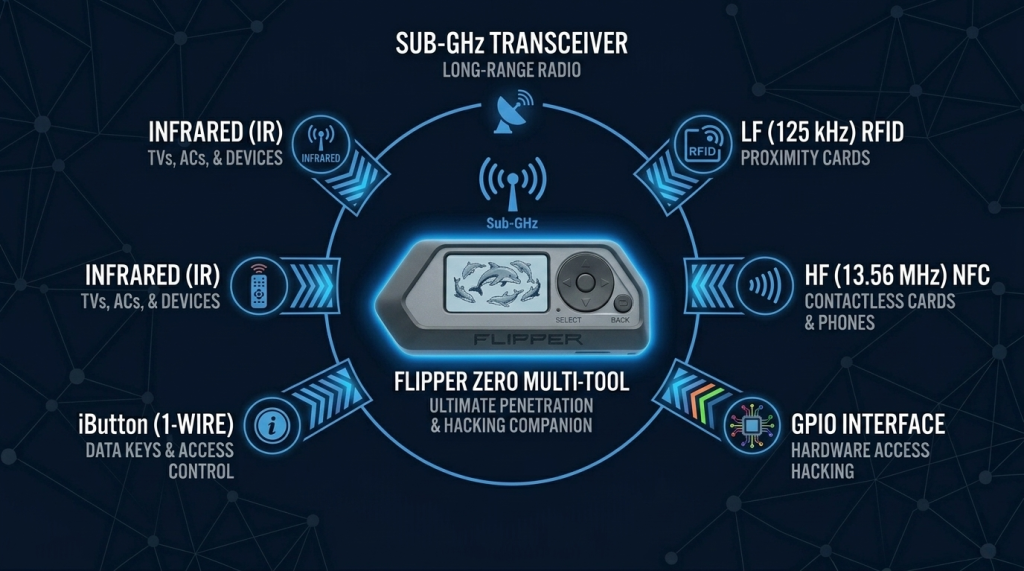
Six Attack Surfaces, One Tool: Sub-GHz, RFID, NFC, Infrared, GPIO, iButton
Flipper Zero Capability Wheel

How Security Professionals Use Flipper Zero

Physical Access Control Testing

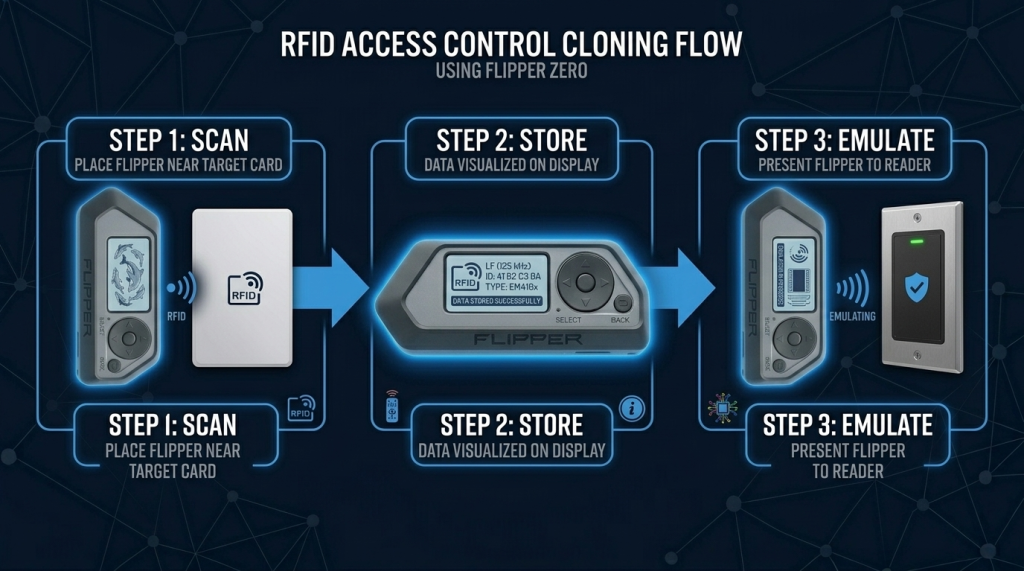
Most corporate buildings use HID or EM4100 access cards operating at 125kHz. Flipper Zero can read these cards from a few centimeters away and emulate them to test whether a cloned card grants access. This directly tests whether an organization’s physical perimeter is protected against badge cloning — a real attack vector used by red teams worldwide.

Scan → Store → Emulate: How Flipper Zero Tests Physical Access Control Vulnerabilities
Badge Cloning with Flipper Zero

Wireless Protocol Analysis

The Sub-GHz radio covers frequencies used by most consumer wireless devices — garage doors, gate openers, wireless alarm systems, key fobs. Security professionals use it to capture, analyze, and replay these signals to test whether rolling-code protections are properly implemented.

IoT and Embedded Systems Research

Via the GPIO interface, Flipper Zero connects directly to hardware — UART ports, SPI buses, I2C sensors, debug pads. This makes it useful for firmware extraction, protocol analysis, and testing embedded devices during IoT security assessments.

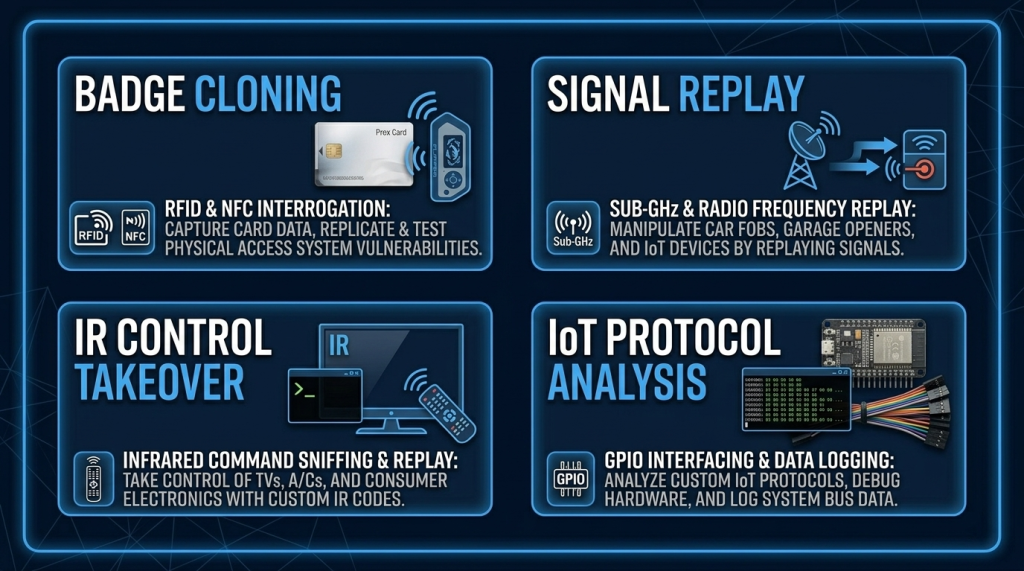
Badge Cloning, Signal Replay, IR Takeover, and IoT Protocol Analysis — Four Use Cases
Flipper Zero Real-World Attack Scenarios

Accessories & Expansions

Accessory Purpose Skill Level
WiFi Dev Board (ESP32)
Adds WiFi scanning, deauth, Evil Portal capabilities
Intermediate
Protector Case (silicone)
Field protection for the device body
None
External Sub-GHz antenna
Extended range for Sub-GHz signal capture
Beginner
GPIO breakout cables
Connects to external hardware and development boards
Intermediate
NFC / RFID test cards
Practice targets for read/write/emulation testing
Beginner
Video Game Module
GPIO game cartridge support — also functions as GPIO breakout
Beginner
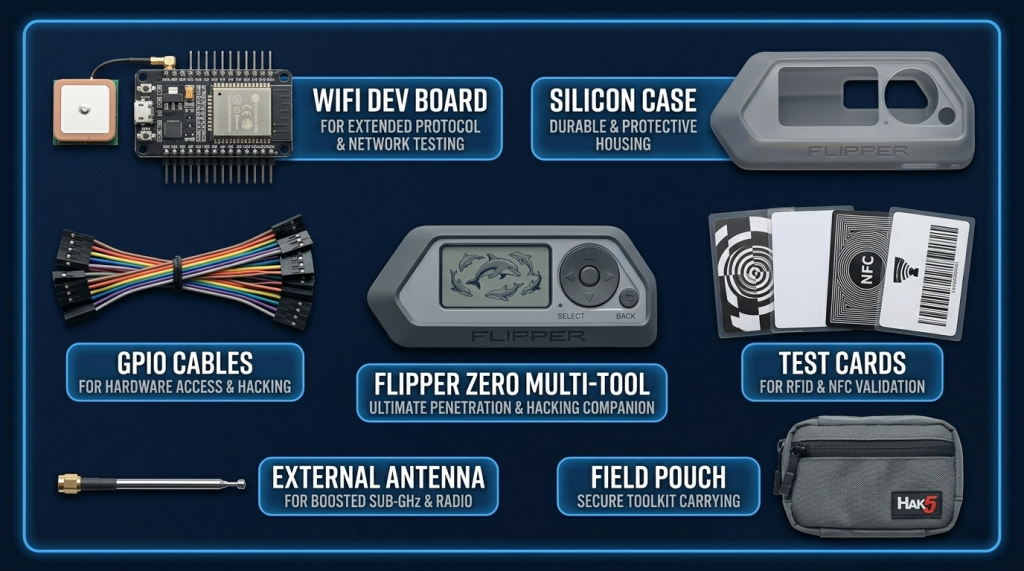
WiFi Dev Board, Silicone Case, Sub-GHz Antenna, GPIO Cables, and RFID Test Cards
Flipper Zero Field Accessories

Where to Get Flipper Zero

Recommended Resources

How to Get Started

  1. Update the firmware immediately. Connect to qFlipper (official desktop app) and update to the latest firmware. Explore Unleashed firmware after you understand what the stock firmware does.
  2. Start with infrared and Sub-GHz — they’re the safest to practice. Point the IR blaster at your TV and clone the remote signals. Walk around your home and see what Sub-GHz devices you can detect. No authorization issues, immediate learning, zero risk.
  3. Work up to RFID and NFC with your own cards. Get a pack of blank 125kHz and 13.56MHz test cards. Practice reading, writing, and emulating on cards you own before ever pointing Flipper Zero at someone else’s infrastructure.

📌 Note: The information on this page — including certification details, exam codes, pricing, and salary ranges — is regularly reviewed and updated to reflect the latest data from official sources. Always verify current details directly with the relevant certification body or platform before making any decisions.

Community & Support

Related Articles

The 6 Learning Paths Every Cybersecurity Beginner Should Know

Affiliate Disclaimer: Some links in this article are affiliate links. This means if you click a link and make a purchase, SecVerse may earn a small commission — at no extra cost to you. We only recommend tools we genuinely believe in and that we consider useful for your cybersecurity learning journey. Our editorial opinions are never influenced by affiliate relationships. Introduction: **In our first guide**, we covered how to start learning cybersecurity without feeling overwhelmed. If you haven’t read it yet, start there. Now, let’s talk about which path to take once you’re ready. When I decided to get into cybersecurity 20 years ago after I graduated from school of engineering as computer engineer, I had no idea which path to take. I bought a CEH course first. Then I bought a Security+ book. Then I tried to learn networking. I was all over the place. Don’t be me.

Read More »

How to Start Learning Cybersecurity Without Feeling Overwhelmed

Affiliate Disclaimer: Some links in this article are affiliate links. This means if you click a link and make a purchase, SecVerse may earn a small commission — at no extra cost to you. We only recommend tools we genuinely believe in and that we consider useful for your cybersecurity learning journey. Our editorial opinions are never influenced by affiliate relationships. Introduction: The Overwhelm is Real (But Avoidable) Let’s be honest with ourselves to avoid the shock and be realistic. Cyber security is huge, branching, and massive field. When I decided to get and start in this field 20 years ago. I made every mistake imaginable: Bought expensive courses I never finished. Tried to learn everything at once – pentesting, malware analysis, cloud security, forensics. All in short time. Got trapped in “tutorial”- watching videos for hours but never actually doing anything because of not practicing them and being confused.
Read More »

Related Products

More HW Security Tools :