
WiFi Pineapple, USB Rubber Ducky, Shark Jack, LAN Turtle, O.MG Cable — Five Devices, Five Attack Vectors
The Hak5 Hardware Toolkit

What is Hak5?

Hak5 is a cybersecurity company that builds purpose-built offensive security hardware used by penetration testers, red teams, and security researchers worldwide. Their devices don’t simulate attack scenarios — they execute them. WiFi man-in-the-middle attacks, keystroke injection, network reconnaissance, covert implants — Hak5 makes a dedicated piece of hardware for each. Their tools are used in enterprise security assessments, red team engagements, corporate security awareness training, and cybersecurity education labs worldwide.

Is This Right for You?

This is for you if...

  • You’re a penetration tester or red teamer who needs reliable, repeatable hardware attack tools
  • You run security awareness training and need physical demonstration hardware
  • You’re studying for OSCP, CEH, or building a hands-on home security lab
  • You want to learn offensive hardware techniques in a legal, controlled environment
  • You’re a security researcher testing physical access controls and network perimeters

This is NOT for you if...

  • You’re brand new to security with no networking or scripting foundation — build that first
  • You want purely passive, non-intrusive security tools — Hak5 hardware is built for active attacks
  • You’re not working in authorized environments — these tools are illegal to use without explicit permission
  • Budget is tight and you’re just getting started — TryHackMe and HTB cost a fraction of the price

Tool Breakdown

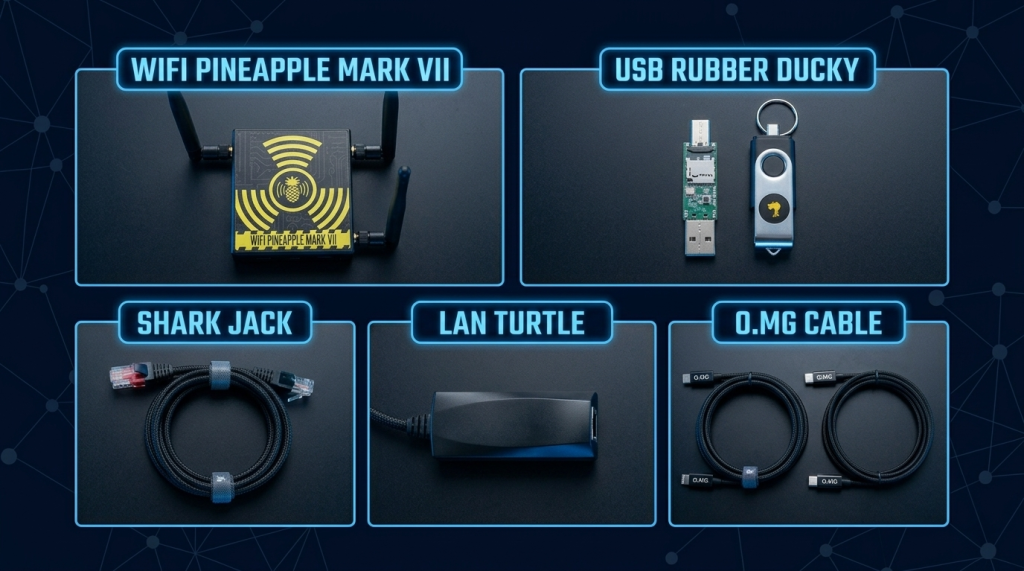
Hak5 makes five primary security research devices. Here’s what each one does and who it’s for:

Device Primary Attack Vector Key Use Case Skill Level
WiFi Pineapple Mark VII
Wireless — Evil Twin, MITM, credential harvesting
Wireless penetration testing, rogue AP simulation
Intermediate
USB Rubber Ducky
Keystroke injection via USB
Automated payload delivery, credential theft, persistence
Beginner–Intermediate
Shark Jack
Network — recon and attack via Ethernet
Rapid network scanning, MITM, LAN-based attacks
Intermediate
LAN Turtle
Covert network implant via USB-Ethernet
Persistent network access, remote exfiltration, pivoting
Intermediate–Advanced
O.MG Cable
Malicious USB-C/Lightning cable
Physical implant, keystroke injection disguised as charging cable
Intermediate–Advanced
Professional Offensive Security Hardware for Network, Wireless, Keystroke, and Implant Attacks
Hak5 Device Overview Grid

How Security Professionals Use Hak5 Tools

Wireless Security Testing — WiFi Pineapple

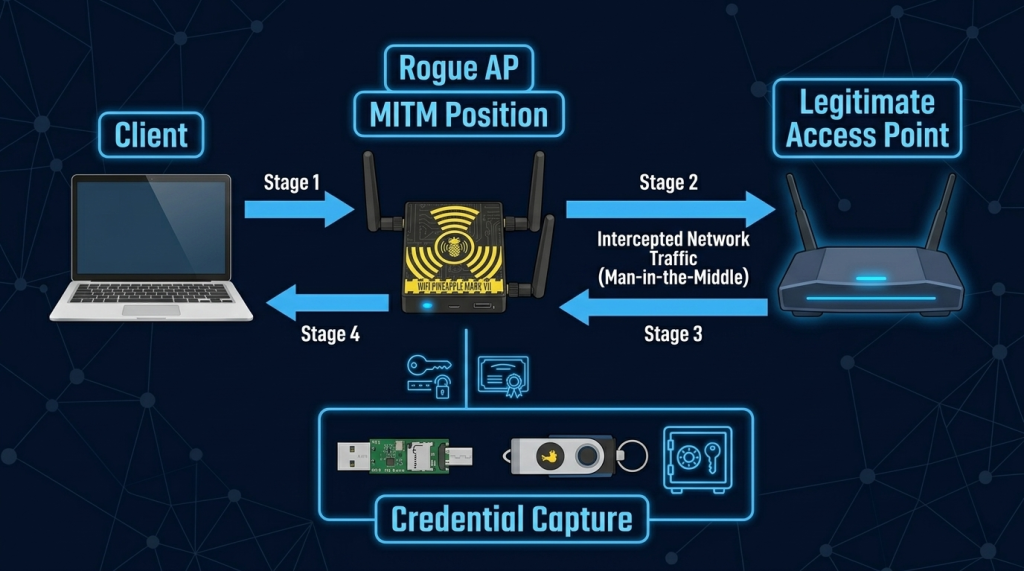
The WiFi Pineapple is the industry-standard tool for wireless penetration testing. It runs OpenWRT Linux and supports automated PineAP campaigns, deauthentication attacks, and captive portal credential harvesting. Security professionals use it to simulate evil twin attacks — creating a rogue access point that mimics a legitimate network to capture credentials and intercept traffic.

  • Test whether employees connect to rogue corporate WiFi networks
  • Demonstrate man-in-the-middle vulnerabilities in hotel, café, and airport environments
  • Assess wireless client behavior and probe request leakage
How the WiFi Pineapple Positions Between a Client and Legitimate AP to Capture Credentials
WiFi Pineapple Man-in-the-Middle Attack

Keystroke Injection — USB Rubber Ducky

The USB Rubber Ducky looks exactly like a standard USB flash drive. The moment it’s plugged in it acts as a keyboard — executing a pre-written DuckyScript payload at speeds no human can match. A full credential-harvesting payload executes in under 10 seconds.

  • Simulate insider threat attacks in physical security assessments
  • Demonstrate the danger of unattended workstations in security awareness training
  • Automate post-exploitation tasks during red team engagements

Network Reconnaissance — Shark Jack

The Shark Jack plugs into any open Ethernet port and instantly begins executing payloads — network scanning, ARP poisoning, credential capture. Battery-powered and LED-indicated, it’s designed for rapid deployment during physical penetration tests.

  • Drop into network closets or conference room ports during physical assessments
  • Execute automated Nmap scans and exfiltrate results to cloud storage

Test network access control enforcement on open ports

  • Simulate insider threat attacks in physical security assessments
  • Demonstrate the danger of unattended workstations in security awareness training
  • Automate post-exploitation tasks during red team engagements

Covert Implants — LAN Turtle & O.MG Cable

The LAN Turtle sits between a target’s USB port and Ethernet connection — invisible to the user but providing persistent remote access, DNS spoofing, and network capture capabilities. The O.MG Cable looks and works exactly like a legitimate USB charging cable while hosting a full WiFi-enabled exploit framework inside the connector housing.

  • Test detection capabilities against covert, persistent network implants
  • Demonstrate physical supply chain attack vectors
  • Assess whether physical security controls catch malicious hardware
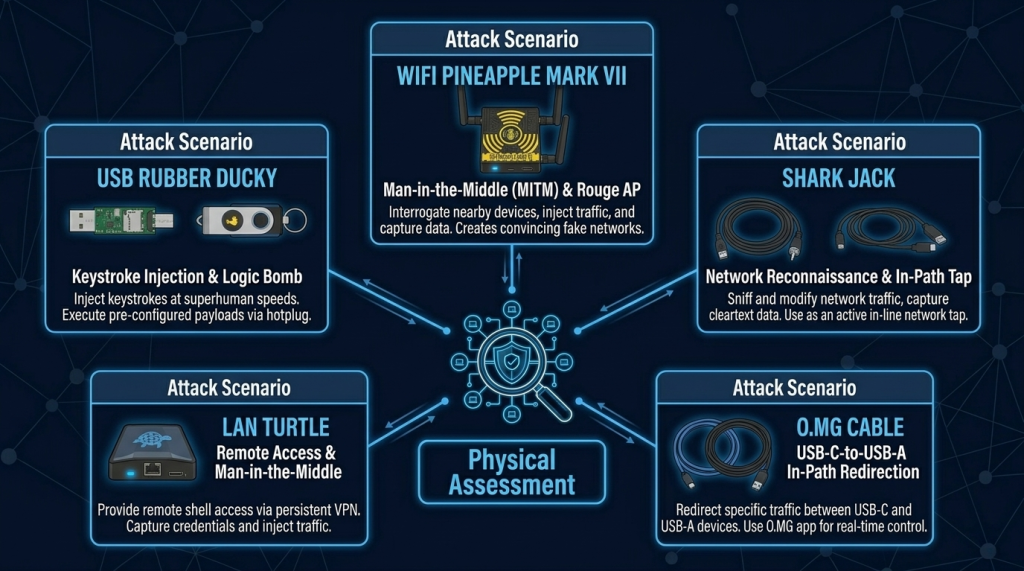
Five Real Attack Vectors: Rogue AP, Keystroke Injection, Network Tap, DNS Spoof, and USB Implant
Hak5 Physical Assessment Attack Scenarios

Accessories & Setup

Accessory Compatible Devices Purpose
External Wi-Fi / RF antennas
WiFi Pineapple
Extended wireless range for rogue AP attacks
MicroSD cards (32–256GB)
All devices
Payload storage and log capture
USB-A / USB-C / OTG adapters
Rubber Ducky, LAN Turtle
Cross-platform compatibility
Battery packs (10,000+ mAh)
Shark Jack, WiFi Pineapple
Extended field deployment without mains power
Ethernet patch cables (short)
Shark Jack, LAN Turtle
Physical connection for covert drops
Protective hard cases
Full kit
Field transport without device damage
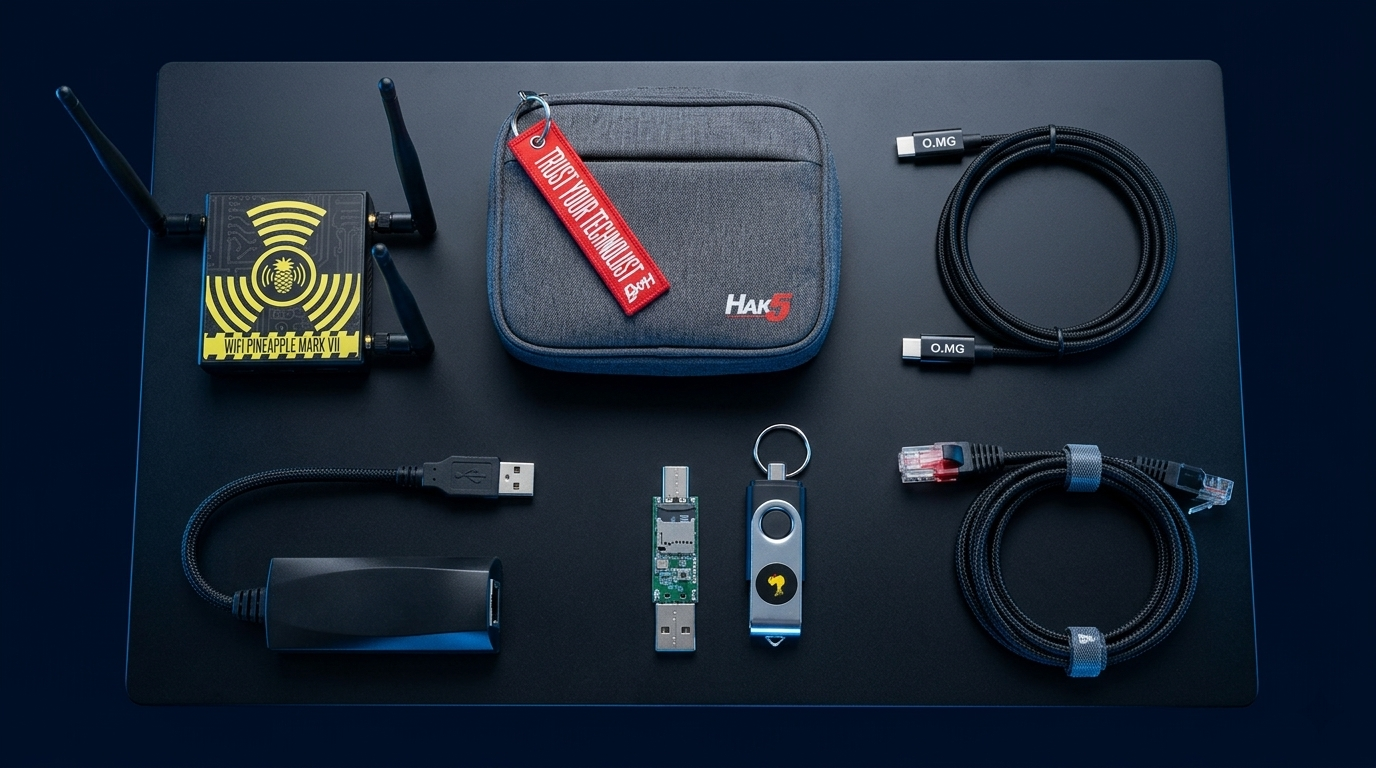
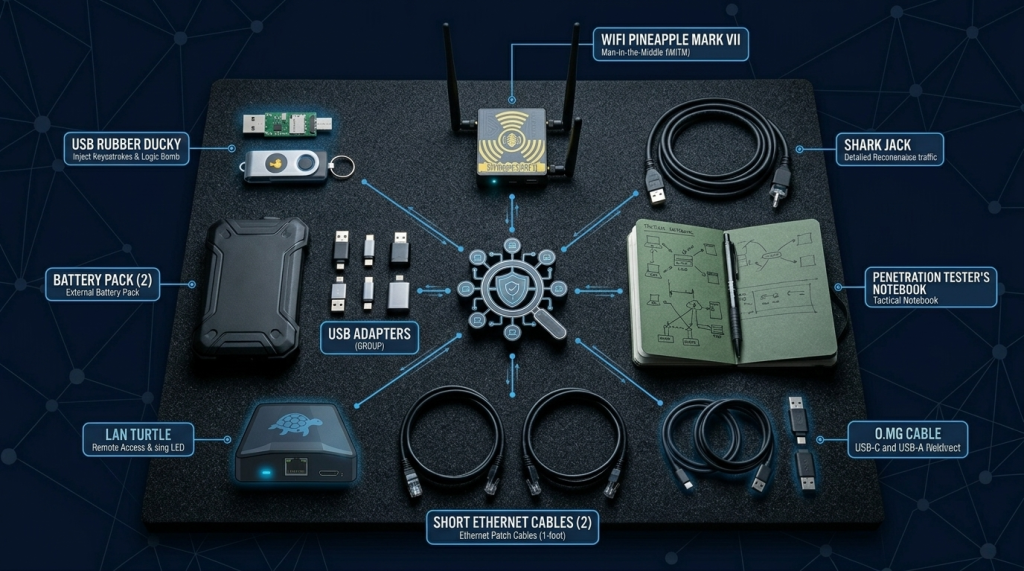
Everything in the Bag: Hak5 Devices, Battery Packs, Adapters, Ethernet Cables, and Field Notes
The Penetration Tester's Field Kit

Where to Get Hak5 Tools

Recommended Resources

  • Hak5 — official store, firmware downloads, and payload library
  • Payload Hub — community payload repository for all Hak5 devices
  • Hak5 (YouTube) channel — tutorials, use-case demonstrations, and new product labs
  • Hak5 Forum — active community for troubleshooting and payload sharing

How to Get Started

  1. Start with the USB Rubber Ducky. It’s the most affordable Hak5 device and teaches DuckyScript — a simple, powerful payload language. Write your first payload: open Notepad, type a message, save it. That’s the foundation for everything else.
  2. Build a controlled lab before going to the field. Set up a dedicated test machine on an isolated network. Practice every payload against your own systems first. Understand exactly what the tool does before using it in a real assessment.
  3. Join the payload community. Visit payloadhub.hak5.org and reverse-engineer payloads written by practitioners. Understand every line, then modify them for your use case. The community is how Hak5 tools get exponentially more powerful.

📌 Note: The information on this page — including certification details, exam codes, pricing, and salary ranges — is regularly reviewed and updated to reflect the latest data from official sources. Always verify current details directly with the relevant certification body or platform before making any decisions.

Community & Support

Related Articles

The 6 Learning Paths Every Cybersecurity Beginner Should Know

**In our first guide**, we covered how to start learning cybersecurity without feeling overwhelmed. If you haven’t read it yet, start there.

Now, let’s talk about which path to take once you’re ready. When I decided to get into cybersecurity 20 years ago after I graduated from school of engineering as computer engineer, I had no idea which path to take.

I bought a CEH course first. Then I bought a Security+ book. Then I tried to learn networking. I was all over the place. Don’t be me.

Read More »

How to Start Learning Cybersecurity Without Feeling Overwhelmed

Let’s be honest with ourselves to avoid the shock and be realistic. Cyber security is huge, branching, and massive field.

When I decided to get and start in this field 20 years ago. I made every mistake imaginable:

Bought expensive courses I never finished.
Tried to learn everything at once – pentesting, malware analysis, cloud security, forensics. All in short time.
Got trapped in “tutorial”- watching videos for hours but never actually doing anything because of not practicing them and being confused.
Got lots and different opinions from people who are in advanced levels.
Here’s the truth I wish someone told me earlier:


Read More »