What is Raspberry Pi?
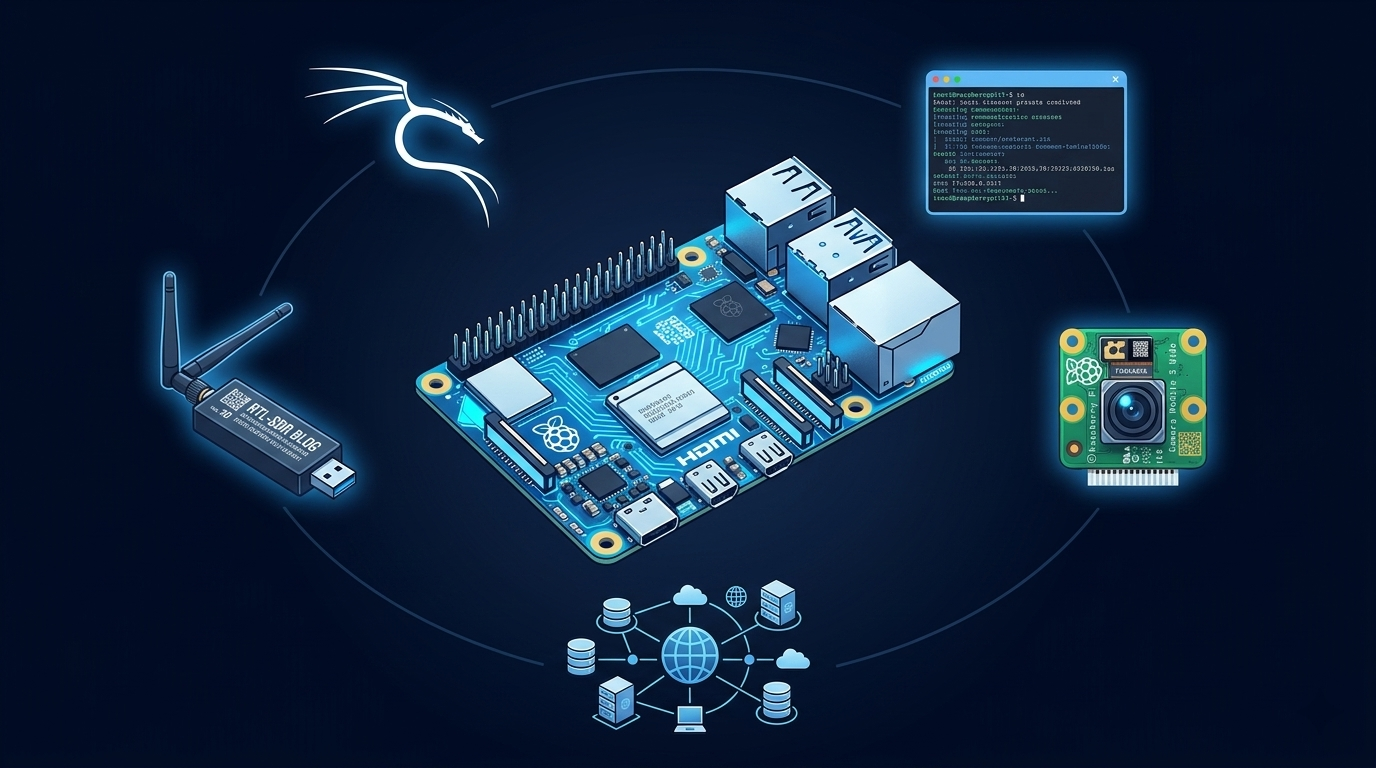
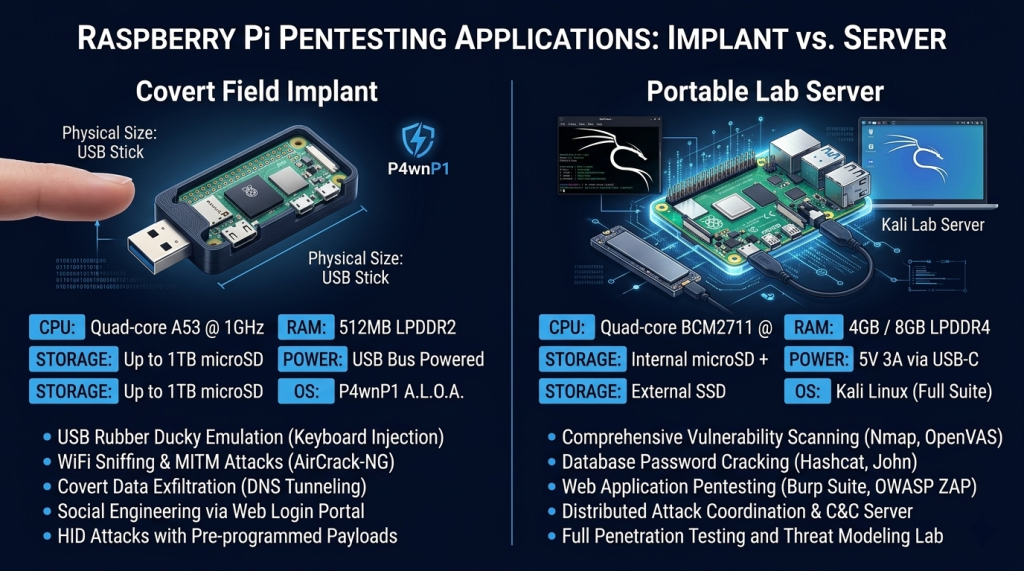
Raspberry Pi is a family of credit-card-sized single-board computers running full Linux operating systems. The key difference from a microcontroller like Arduino: Raspberry Pi runs a complete Linux OS. That means you can run real security tools on it — Kali Linux, Metasploit, Wireshark, Nmap, Suricata, Zeek — on hardware that costs $35–80 and fits in your pocket. Raspberry Pis are used in security work as portable penetration testing platforms, network monitoring sensors, honeypots, rogue access points, C2 infrastructure nodes, and budget-friendly lab servers.
Is This Right for You?
This is for you if...
- You want to build a home security lab on a tight budget
- You need a portable, deployable Linux computer for field security work
- You’re building network monitoring, honeypots, or intrusion detection systems
- You want to run Kali Linux or other security distributions on dedicated hardware
- You’re learning networking, IoT security, or server administration alongside cybersecurity
This is NOT for you if...
- You need significant processing power for heavy tasks — get a used laptop instead
- You want plug-and-play attack tools — Raspberry Pi requires Linux knowledge and configuration
- You’re looking for a microcontroller for hardware interfacing — Arduino serves that role better
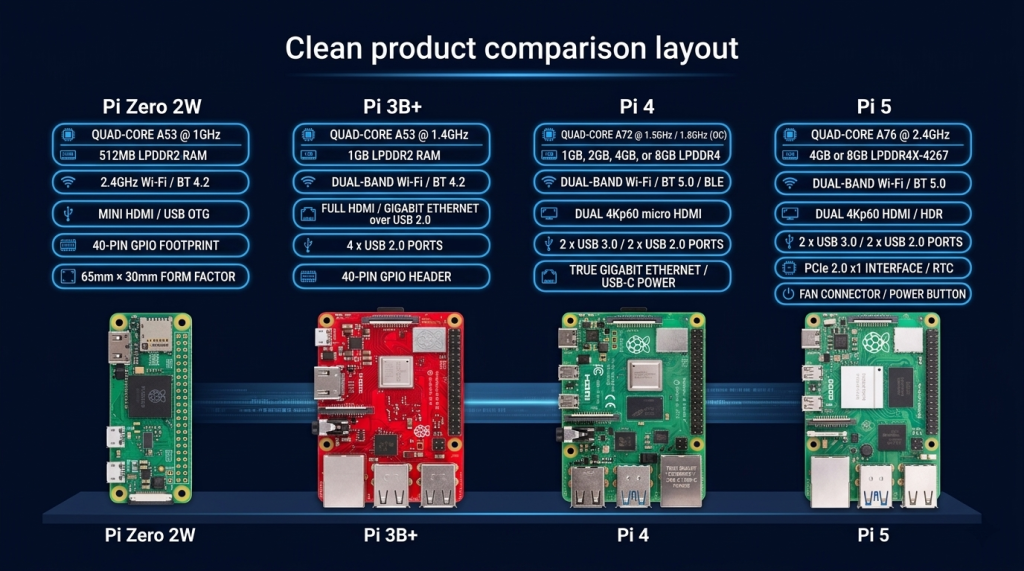
Raspberry Pi Models — Which One for Security Work?
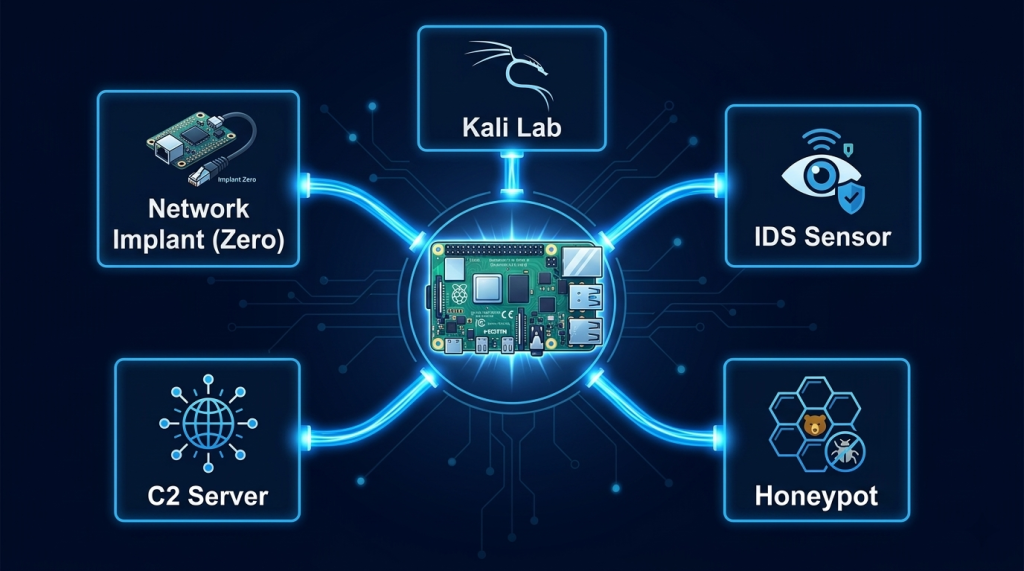
How Security Professionals Use Raspberry Pi
Portable Kali Linux Platform
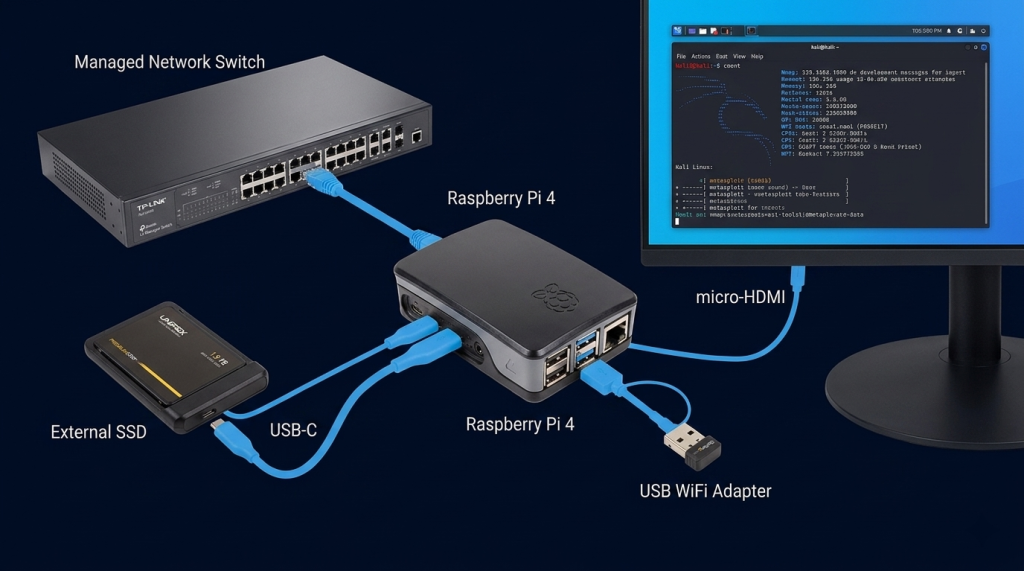
Installing Kali Linux on a Raspberry Pi 4 gives you a fully capable penetration testing machine you can slip into a bag. With a battery pack it runs for hours untethered. Security professionals deploy Pi-based Kali systems during on-site engagements where bringing a laptop attracts attention.
- Run Nmap, Metasploit, Wireshark, Burp Suite, and Aircrack-ng on dedicated hardware
- Deploy in network closets or conference rooms as a persistent testing node
Use as a VPN gateway for routing attack traffic through a clean exit point
Network Monitoring and Intrusion Detection
A Raspberry Pi 4 with Security Onion, Zeek, or Suricata becomes a capable network sensor for a home lab or small office. At $60–80 plus a managed switch, you can build a monitoring system that rivals commercial solutions costing thousands.
- Place a Pi running Zeek on a network tap to log all traffic metadata
- Deploy Suricata for signature-based intrusion detection across home lab traffic
Build a budget SIEM by shipping Pi logs to a central Elasticsearch instance
- Build a continuous RFID logging device that captures card UIDs passively
- Create automated RFID testing rigs that cycle through multiple card types
- Prototype custom RFID security research hardware before investing in Proxmark 3
Honeypots and Deception Systems
Raspberry Pi is ideal for running honeypots — low-interaction systems designed to attract and log attacker activity. Tools like Cowrie (SSH/Telnet honeypot), HoneyDB, and OpenCanary run well on Pi hardware, and their low power consumption means you can leave them running 24/7 without cost concerns.
Rogue Access Points and Network Implants
The Pi Zero 2 W combined with P4wnP1 A.L.O.A. turns it into a covert attack platform — BadUSB, rogue AP, network implant, and HID attack tool simultaneously. It’s the size of a USB stick and can be deployed in seconds.
Essential Accessories for Security Work
Where to Get Arduino Hardware
── SecVerse Marketplace — Raspberry Pi ──
Recommended Resources
How to Get Started
- Flash Raspberry Pi OS Lite and connect via SSH. No monitor needed. Use the Raspberry Pi Imager to flash the OS, enable SSH and WiFi in the imager settings, plug it in, find its IP, and SSH in. This is how professionals use Pi in the field — headless, remote, clean.
- Install Kali or your chosen security distribution. Pi 4 with 4GB RAM handles Kali Linux well. Flash the official Kali ARM image, boot it, run sudo apt update && sudo apt full-upgrade, then install the tools you need. Start lean — add tools as your projects require them.
- Build one complete project before buying more hardware. Choose one: a Cowrie honeypot, a Zeek network sensor, or a portable Kali platform. Complete it fully — configure it, test it, understand every component. One finished project teaches more than five half-built ones.
📌 Note: The information on this page — including certification details, exam codes, pricing, and salary ranges — is regularly reviewed and updated to reflect the latest data from official sources. Always verify current details directly with the relevant certification body or platform before making any decisions.
Community & Support
── Raspberry Pi Communities ──