What is Malware Analysis?
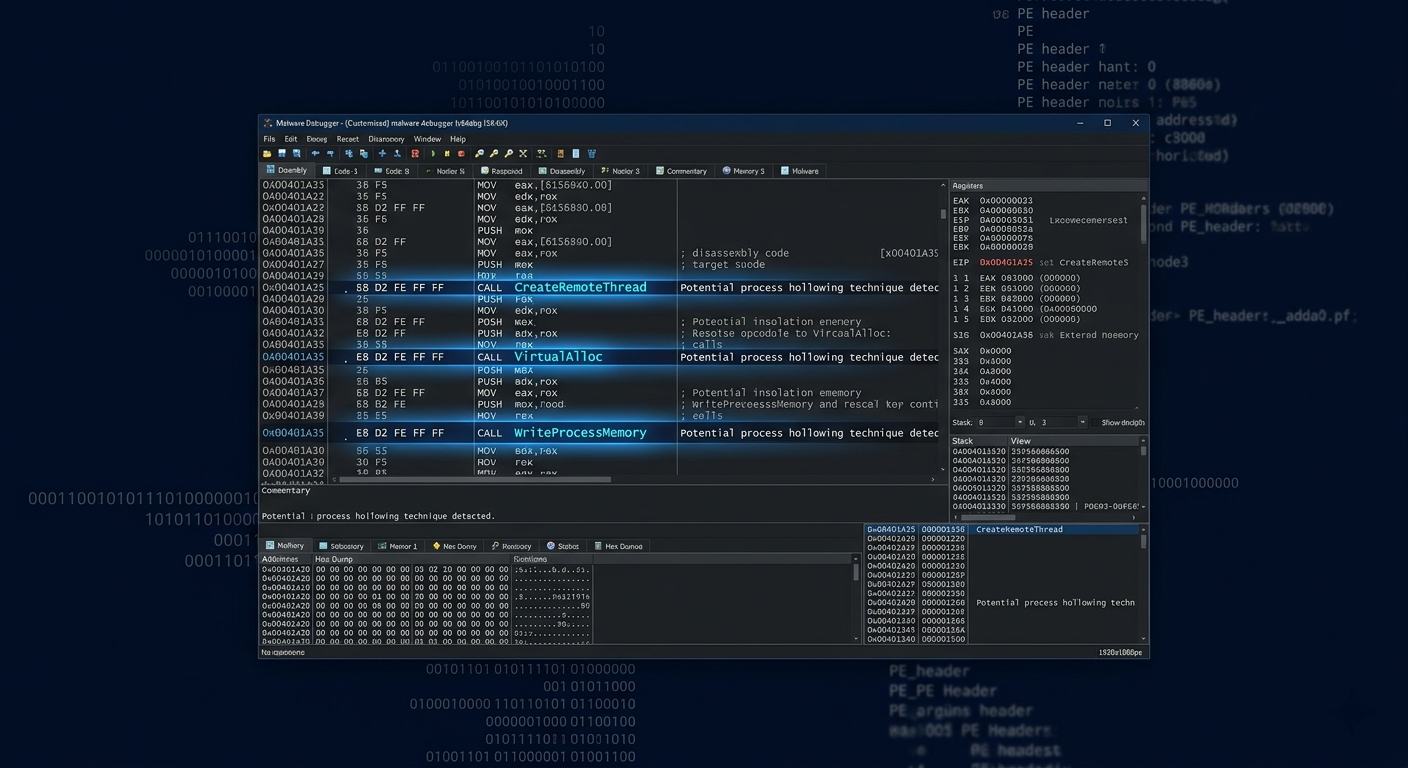
Malware analysis is the discipline of dissecting malicious software to understand what it does, how it operates, and how to detect and defend against it. SANS Institute describes the field:
Malware analysis is the study of the features, functionality, and potential impact of a given type of malware. It helps security professionals understand what happened in a breach, how a threat actor operates, and what signatures or behavioral indicators can be used to detect future infections.
The discipline sits at the intersection of incident response, threat intelligence, and reverse engineering. A skilled malware analyst can look at a piece of code and tell you: who likely wrote it, what infrastructure it uses, what it does to an infected system, and exactly how to detect it across an enterprise network.
Is This Right for You?
This is for you if...
- You want to understand malware at the code level — not just detect it, but dissect it
- You’re targeting incident response, threat intelligence, or reverse engineering roles
- You want to work at security vendors, threat research teams, or government agencies
- You enjoy low-level technical work — assembly language, debuggers, memory analysis
This is NOT for you if...
- You dislike low-level technical detail — malware analysis requires comfort with assembly, hex, and memory
- You’re brand new to security — build a foundation in networking, OS internals, and scripting first
- You want a clear, fast certification path — malware analysis is primarily skill-driven
Certification Roadmap
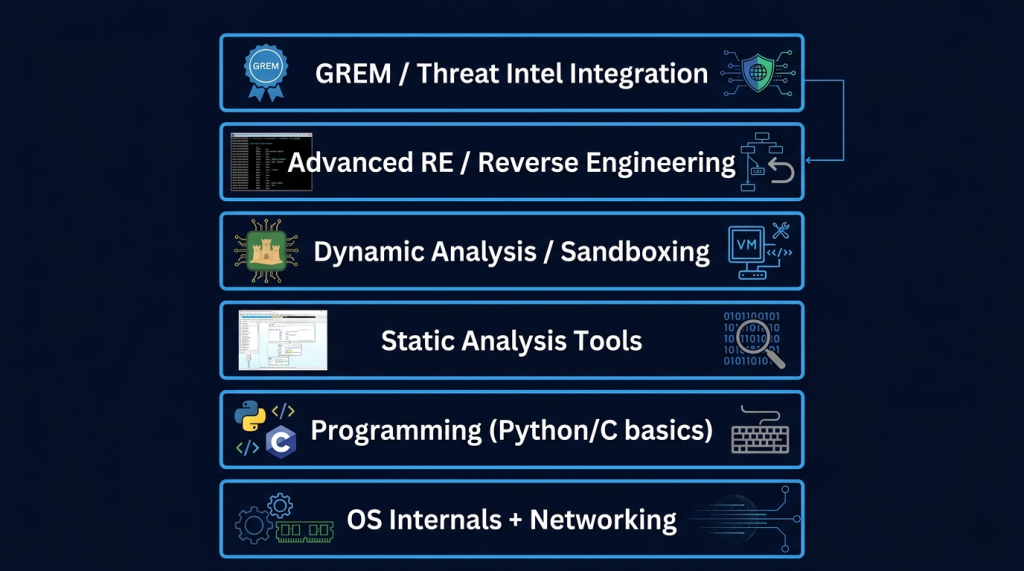
Phase 1 — Prerequisites
| Prerequisite | Why It Matters | Resource |
|---|---|---|
|
Windows OS internals |
Malware exploits Windows APIs, processes, registry, services |
‘Windows Internals’ by Russinovich, or OpenSecurityTraining2 |
|
x86/x64 assembly basics |
Static analysis requires reading disassembled code |
OpenSecurityTraining2 (free) — ‘Architecture 1001’ |
|
Python scripting |
Automate analysis tasks, write YARA rules, parse file formats |
TCM Security Python course or Python.org tutorials |
|
Networking fundamentals |
Malware uses network protocols for C2 and exfiltration |
CompTIA Network+ or TryHackMe Pre-Security path |
Phase 2 — Core Malware Analysis Skills
| Skill Area | Tools | What You Learn |
|---|---|---|
|
Static Analysis |
PEStudio, strings, CFF Explorer, Ghidra, IDA Free |
File format analysis, string extraction, import analysis, disassembly |
|
Dynamic Analysis |
x64dbg, WinDbg, Process Monitor, Wireshark, Fiddler |
Runtime behavior, API calls, network traffic, registry changes |
|
Sandbox Analysis |
Any.run, Cuckoo Sandbox, Hybrid Analysis |
Automated behavioral analysis, IOC extraction, ATT&CK mapping |
|
Memory Forensics |
Volatility, Rekall |
Memory dumps, process injection detection, rootkit analysis |
|
YARA Rules |
YARA framework, yarGen |
Write detection signatures from analyzed samples |
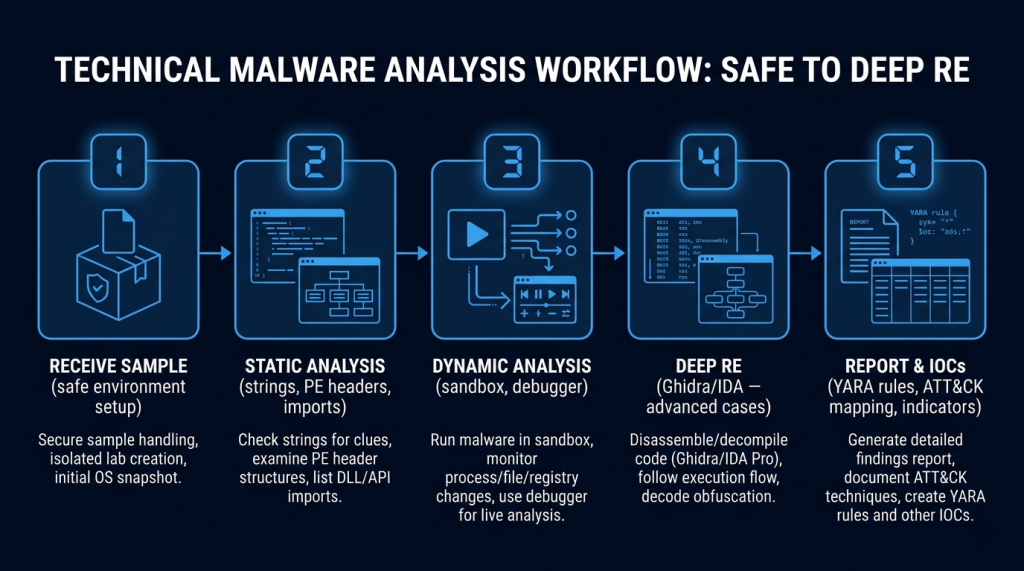
Phase 3 — Certifications
| Certification | Provider | Focus | Level |
|---|---|---|---|
|
GREM (GIAC Reverse Engineering Malware) |
SANS/GIAC |
Comprehensive malware analysis — static, dynamic, advanced RE |
Advanced |
|
PMAT (Practical Malware Analysis & Triage) |
TCM Security |
Hands-on malware analysis and triage — practical focus |
Intermediate |
|
eCMAP (eLearnSecurity Malware Analysis Professional) |
eLearnSecurity |
Structured malware analysis methodology |
Intermediate |
|
GCFE (Forensic Examiner) |
SANS/GIAC |
Digital forensics that complements malware analysis |
Intermediate |
|
GCIH (Incident Handler) |
SANS/GIAC |
Incident response that contextualizes malware findings |
Intermediate |
GREM is the gold standard. TCM Security’s PMAT is the most accessible practical entry point.
Phase 4 — Advanced Reverse Engineering
| Skill / Resource | Focus |
|---|---|
|
Advanced Windows RE (OpenSecurityTraining2) |
Kernel exploitation, rootkit analysis, advanced anti-analysis techniques |
|
Malware Traffic Analysis (malware-traffic-analysis.net) |
Network-level malware behavior, PCAP analysis practice |
|
Flare-On Challenge (Mandiant) |
Annual malware RE CTF — widely considered the hardest RE challenge |
|
IDA Pro / Binary Ninja proficiency |
Professional disassembler tools used by threat research teams |
Essential Tools
| Tool | Type | Purpose | Cost |
|---|---|---|---|
|
Ghidra |
Disassembler / Decompiler |
Static analysis — NSA-developed, industry standard |
Free |
|
x64dbg |
Debugger |
Dynamic analysis — Windows debugger for runtime behavior |
Free |
|
PEStudio |
PE Analyzer |
Quick static analysis — imports, strings, entropy, indicators |
Free |
|
Any.run |
Online Sandbox |
Interactive malware sandbox — see behavior in real time |
Free tier |
|
Volatility 3 |
Memory Forensics |
Analyze memory dumps for malware artifacts |
Free |
|
YARA |
Detection Rules |
Write and test detection signatures for your findings |
Free |
|
Wireshark |
Network Analyzer |
Capture and analyze malware C2 traffic |
Free |
|
Cuckoo Sandbox |
Local Sandbox |
Self-hosted automated malware analysis environment |
Free |
Career Opportunities
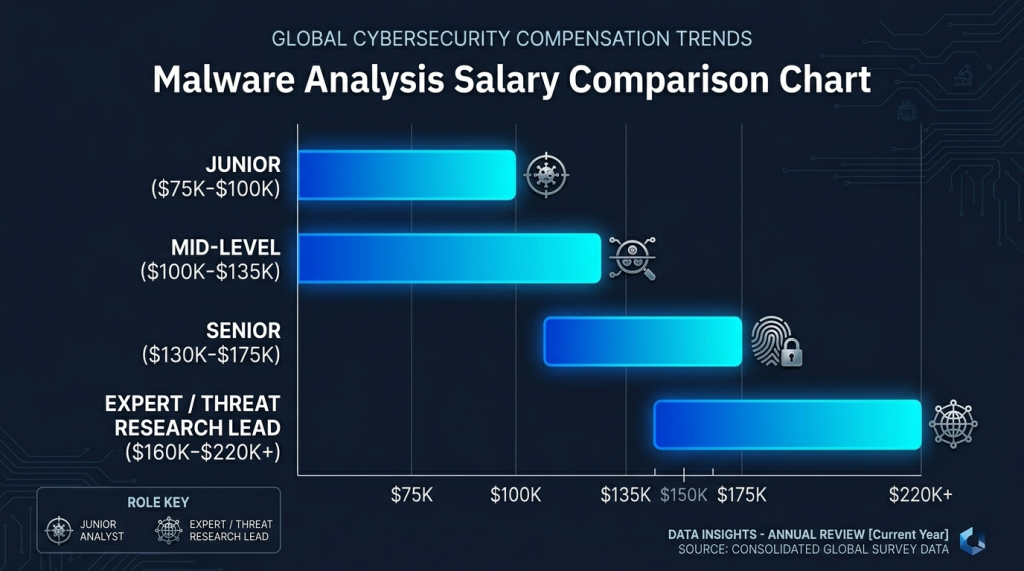
| Role | Target Job Titles | Average Salary (US) |
|---|---|---|
|
Junior Analyst |
Malware Analyst (Junior), SOC Tier 2 Analyst, IR Analyst |
$75,000 – $100,000 |
|
Mid-Level |
Malware Analyst, Threat Intelligence Analyst, RE Engineer |
$100,000 – $135,000 |
|
Senior |
Senior Malware Analyst, Principal RE Engineer, Threat Researcher |
$130,000 – $175,000 |
|
Expert |
Threat Research Lead, Principal Malware Researcher (vendor/gov) |
$160,000 – $220,000+ |
Recommended Resources
Official Study Guides
- Practical Malware Analysis — Sikorski & Honig — the definitive malware analysis textbook
- The Art of Memory Forensics — Ligh, Case, Levy, Walters — essential for memory analysis
- TCM Security — Practical Malware Analysis & Triage (PMAT) — best accessible practical course
- OpenSecurityTraining2 — free architecture and RE courses
- Malware Traffic Analysis — free PCAP exercises
- MalwareBazaar — free malware sample repository for practice
Where to Practice
── Hands-On Practice Platforms ──
- Blue Team Labs Online — malware analysis challenges mapped to ATT&CK
- TryHackMe — Malware Analysis and Reverse Engineering rooms
- LetsDefend — SOC alert investigation including malware triage cases
- Hack The Box — reverse engineering and forensics challenges
How to Get Started
- Set up a safe analysis environment first. Install VirtualBox, create a Windows VM isolated from your host network, take a clean snapshot. All analysis happens inside this VM. Never run malware on a system connected to your real network.
- Start with TCM Security’s PMAT and ‘Practical Malware Analysis’ simultaneously. PMAT gives you hands-on structure. The Sikorski & Honig textbook gives you depth. Run them together — read a chapter, then do the lab. This combination covers 90% of what GREM tests.
- Analyze one real-world malware sample per week. Download from MalwareBazaar. Run it through PEStudio, Any.run, and x64dbg. Write a one-page analysis report: what does it do, what APIs does it call, what are the IOCs, how would you detect it? After 3 months, you have a portfolio.
📌 Note: The information on this page — including certification details, exam codes, pricing, and salary ranges — is regularly reviewed and updated to reflect the latest data from official sources. Always verify current details directly with the relevant certification body or platform before making any decisions.
Community & Support
── Malware Analysis Communities ──
Related Articles
The 6 Learning Paths Every Cybersecurity Beginner Should Know
Affiliate Disclaimer: Some links in this article are affiliate links. This means if you click a link and make a purchase, SecVerse may earn a small commission — at no extra cost to you. We only recommend tools we genuinely believe in and that we consider useful for your cybersecurity learning journey. Our editorial opinions are never influenced by affiliate relationships. Introduction: **In our first guide**, we covered how to start learning cybersecurity without feeling overwhelmed. If you haven’t read it yet, start there. Now, let’s talk about which path to take once you’re ready. When I decided to get into cybersecurity 20 years ago after I graduated from school of engineering as computer engineer, I had no idea which path to take. I bought a CEH course first. Then I bought a Security+ book. Then I tried to learn networking. I was all over the place. Don’t be me.
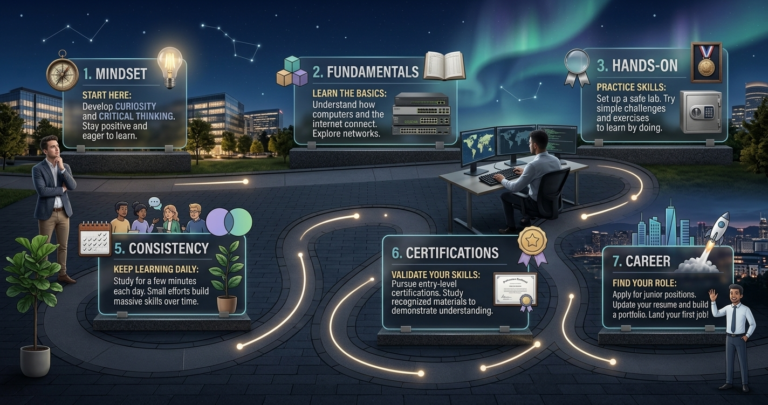
How to Start Learning Cybersecurity Without Feeling Overwhelmed
Affiliate Disclaimer: Some links in this article are affiliate links. This means if you click a link and make a purchase, SecVerse may earn a small commission — at no extra cost to you. We only recommend tools we genuinely believe in and that we consider useful for your cybersecurity learning journey. Our editorial opinions are never influenced by affiliate relationships. Introduction: The Overwhelm is Real (But Avoidable) Let’s be honest with ourselves to avoid the shock and be realistic. Cyber security is huge, branching, and massive field. When I decided to get and start in this field 20 years ago. I made every mistake imaginable: Bought expensive courses I never finished. Tried to learn everything at once – pentesting, malware analysis, cloud security, forensics. All in short time. Got trapped in “tutorial”- watching videos for hours but never actually doing anything because of not practicing them and being confused.