What is MikroTik?
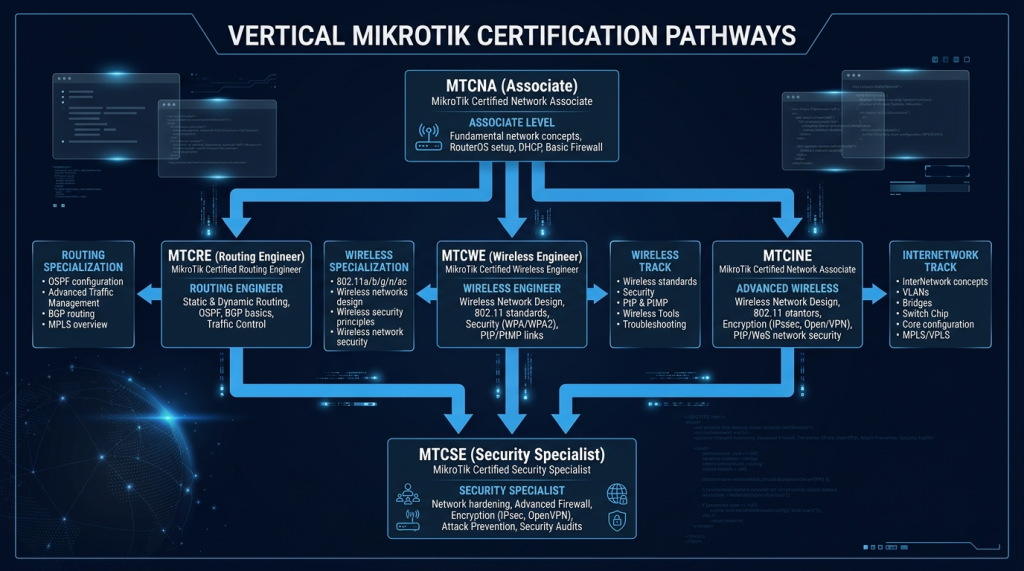
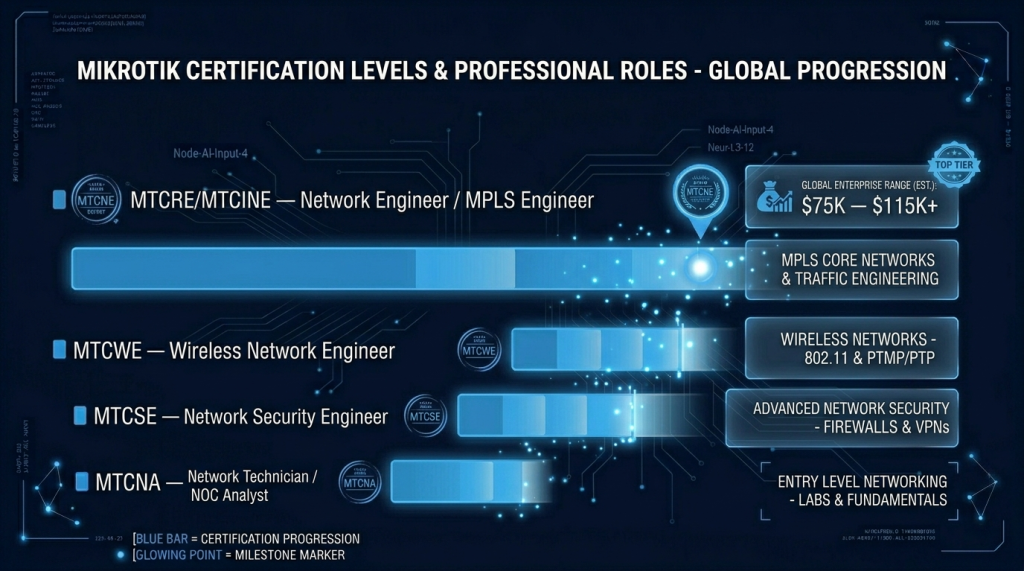
MikroTik is a Latvian networking company producing routers, switches, and wireless devices running their proprietary RouterOS operating system. In ISPs, small-to-medium businesses, wireless networking, and emerging markets, MikroTik is everywhere. Their devices are massively deployed and frequently misconfigured. Understanding RouterOS deeply means you can both secure environments that run on it and assess environments where it’s been set up poorly. The MTCNA / MTCRE / MTCSE hierarchy is affordable, practical, and highly respected in the ISP and telecom space.
Our certifications are developed by IT professionals, ensuring they reflect the skills employers need. They are vendor-neutral, industry-recognized credentials that validate foundational IT skills across various domains.
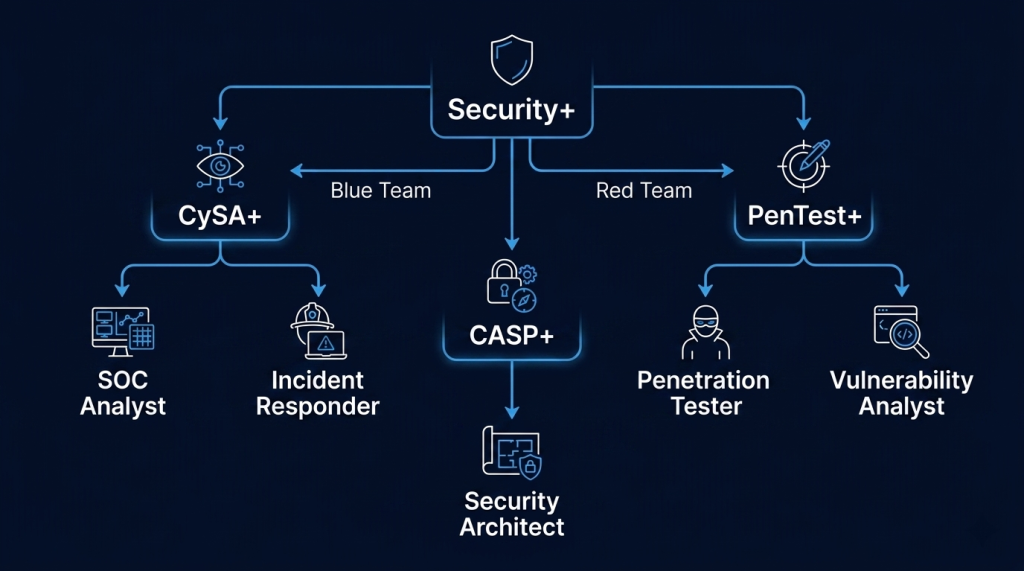
If you’re building a security career and want employers to take your resume seriously from day one — CompTIA is where most people start. And for good reason.
Is This Right for You?
This is for you if...
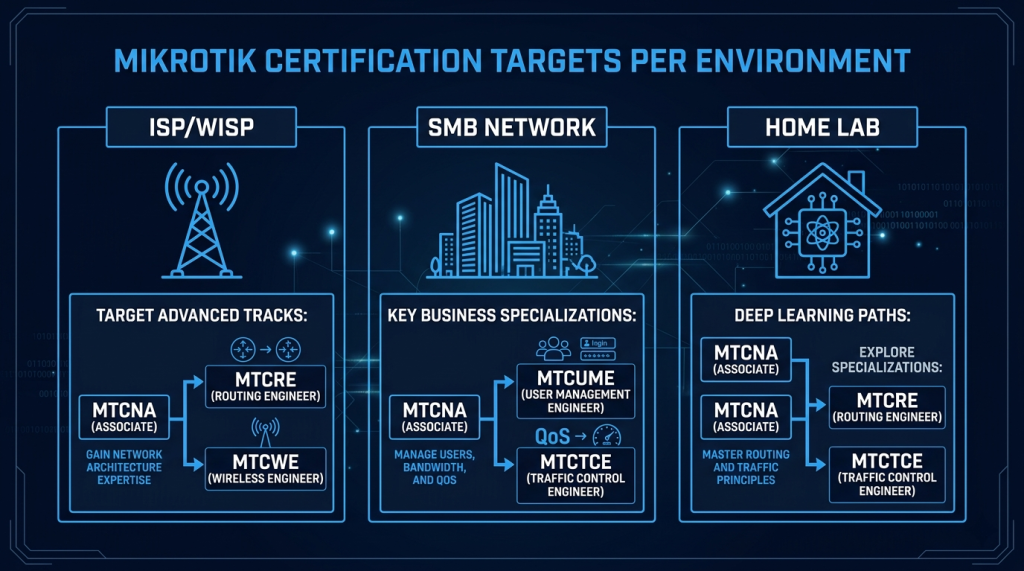
- You work with or plan to work with ISPs, WISPs, or SMB network environments
- You want affordable vendor-specific certifications with strong hands-on components
- You’re interested in wireless networking, MPLS, or SD-WAN on a budget platform
- You want to understand how to secure and assess RouterOS environments
This is NOT for you if...
- You’re targeting large enterprise environments — Cisco and Fortinet lead there
- You want a certification with global employer recognition outside ISP/telecom circles
Certification Roadmap
Phase 1 — Associate Level (MTCNA)
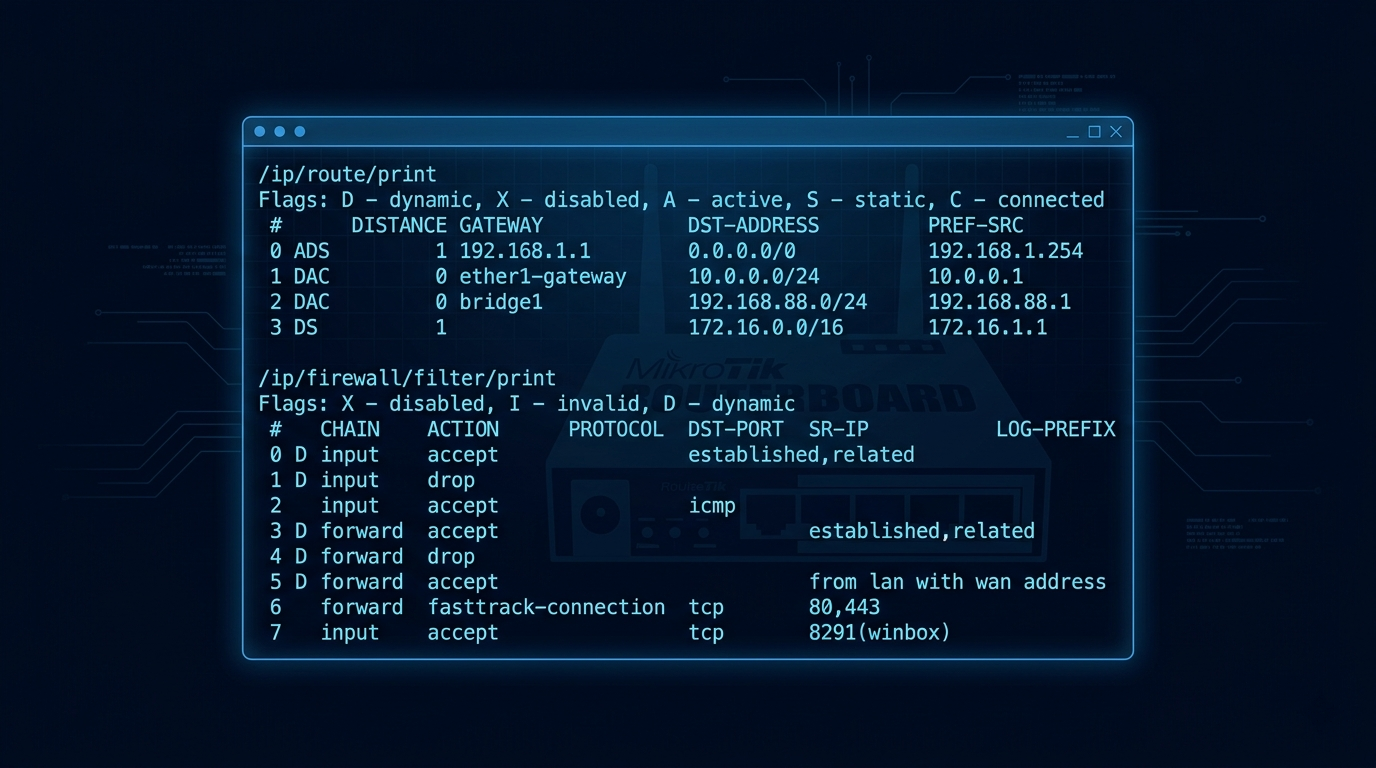
RouterOS Firewall — MTCNA covers stateful firewall rules, NAT configuration, address lists, and packet filtering using the RouterOS filter chain. The same firewall engine runs in thousands of ISP and SMB networks worldwide — what you learn here transfers directly to production environments.
Phase 2 — Professional Specializations
For security professionals, MTCSE is the target — covering RouterOS firewall in depth, VPN configuration, attack mitigation, port knocking, and hardening best practices.
Career Opportunities
Recommended Resources
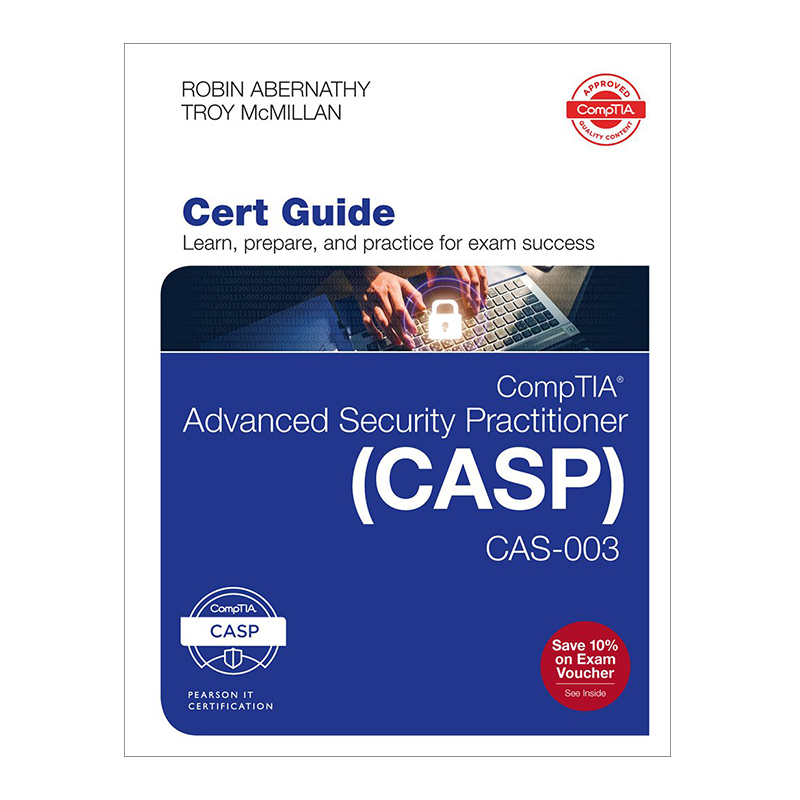
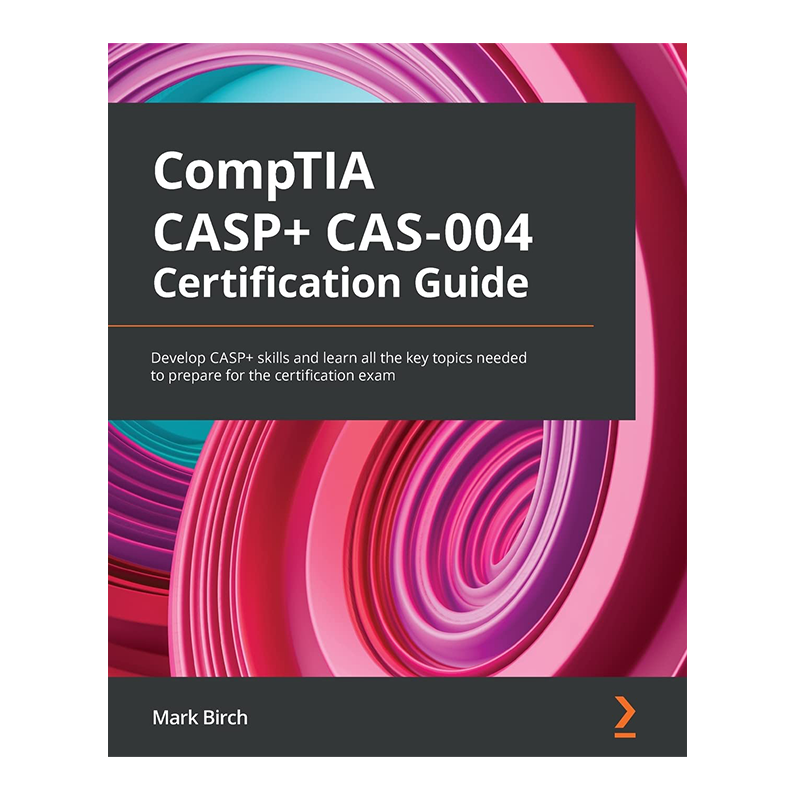
Official Study Guides
Where to Practice
── Hands-On Practice Platforms ──
- GNS3 — build complex MikroTik topologies with CHR images for MTCRE/MTCINE prep
- Cisco Packet Tracer — networking concept foundation before MikroTik specialization
How to Set Up Your MikroTik CHR Practice Lab
MikroTik CHR (Cloud Hosted Router) is the full RouterOS operating system packaged as a virtual machine image. It runs in VirtualBox, VMware, GNS3, Hyper-V, and cloud platforms including AWS and Azure. The free license gives you 1 Mbps throughput — more than sufficient for all certification lab exercises. For MTCNA, MTCRE, and MTCSE candidates, CHR provides authentic RouterOS practice without requiring physical MikroTik hardware.
CHR vs Physical RouterBOARD
CHR runs the exact same RouterOS that ships on physical MikroTik hardware. Configuration commands, firewall rules, routing protocols, and MPLS behavior are identical. The only meaningful differences are hardware-specific features (like SFP interfaces or PoE management) and the 1 Mbps throughput cap on the free license. For exam preparation and lab practice, CHR is a complete substitute for physical equipment.
What You Can Practice
- RouterOS Firewall — stateful firewall rules, filter chains, NAT rules, address lists, and connection tracking (MTCNA and MTCSE core content)
- Routing — static routes, OSPF, BGP, and MPLS/Traffic Engineering (MTCNA through MTCRE)
- VPN — IPSec tunnels, L2TP/IPSec, SSTP, and OpenVPN configuration (MTCNA and MTCSE)
- Hotspot and user management — HotSpot gateway, user profiles, bandwidth queues (MTCNA ISP use case)
- QoS and traffic shaping — queues, PCQ, burst handling for ISP and WISP bandwidth management (MTCNA and MTCINE)
- Wireless (CHR limitation) — CHR does not simulate wireless interfaces. For MTCWE wireless exam prep, physical MikroTik hardware or the Winbox emulator is required.
Setting Up CHR in VirtualBox
- Download the CHR image from mikrotik.com/download. Select the VDI format for VirtualBox. The free license is unlimited in time — only throughput is capped at 1 Mbps.
- Create a new VM in VirtualBox. Type: Linux, Version: Other Linux (64-bit). Attach the CHR VDI as the hard disk. Allocate 256MB RAM minimum — 512MB recommended. Add 2-3 network adapters for multi-interface routing practice.
- Connect with Winbox. Download Winbox from mikrotik.com/download. Connect to the CHR MAC address shown in VirtualBox. Default login: admin, no password. Winbox gives you the full RouterOS GUI — the same interface used on physical hardware.
MikroTik CHR in GNS3
GNS3 has an official MikroTik CHR appliance template. Running CHR inside GNS3 lets you build multi-vendor topologies — MikroTik routers alongside Cisco IOS devices, Fortinet firewalls, and Huawei switches in a single simulated network. For MTCRE and MTCSE candidates practicing inter-vendor routing and BGP peering, GNS3 with CHR is the most realistic lab setup available without physical hardware.
CHR download: mikrotik.com/download | Winbox download: mikrotik.com/download | GNS3 CHR appliance: https://www.gns3.com/software/download
How to Get Started
- Download and install CHR today. Cloud Hosted Router is free. Run it in VirtualBox, VMware, or a cloud VPS. Configure your first firewall rule and NAT masquerade.
- Work through the wiki systematically. The MikroTik wiki is exceptional. Work through Firewall, Routing, and VPN sections with CHR open. Every concept you read, you configure.
- Book an official training course for the exam. MikroTik exams are administered through official training sessions. Find an authorized trainer at mikrotik.com/training. Far cheaper than equivalent Cisco or Fortinet training.
📌 Note: The information on this page — including certification details, exam codes, pricing, and salary ranges — is regularly reviewed and updated to reflect the latest data from official sources. Always verify current details directly with the relevant certification body or platform before making any decisions.
Community & Support
── MikroTik Communities ──