CiscoPacketTracer

Home > Resources > Virtual Labs > CiscoPacketTracer
Routers, Switches, Firewalls, VLANs, ACLs, VPNs — Simulated Cisco Hardware, Real Configuration Skills
Cisco Packet Tracer — A Full Network Lab That Costs Nothing

What is Cisco Packet Tracer?

Cisco Packet Tracer is a free network simulation tool developed by Cisco and distributed through Cisco Networking Academy (NetAcad). It lets you design, configure, and troubleshoot network topologies using simulated Cisco routers, switches, wireless access points, firewalls, and end devices — all without physical hardware. For networking students, CCNA candidates, and anyone learning how networks work, Packet Tracer removes the single biggest barrier to hands-on practice: cost. A physical Cisco rack for CCNA lab practice can cost $2,000–$10,000. Packet Tracer is free.

Is This Right for You?

This is for you if...

  • You’re studying for CCNA, CCST Networking, or CompTIA Network+ and need hands-on lab practice
  • You want to understand how networks work before diving into security — this builds the foundation
  • You need free networking simulation without buying physical Cisco equipment
  • You’re learning network security concepts like ACLs, VLANs, VPNs, and firewall rules
  • You’re a student in a Cisco Networking Academy program — it’s the official lab tool

This is NOT for you if...

  • You need a full-featured enterprise simulation — Cisco Modeling Labs (CML) goes deeper
  • You’re past CCNA level and need advanced multi-vendor topologies — GNS3 is more flexible
  • You’re focused exclusively on offensive security — Packet Tracer is a defensive/infrastructure tool

Key Features

Feature Details
Device support
Routers, switches, wireless APs, firewalls, PCs, servers, IoT devices, phones
Simulation modes
Real-time mode and Simulation mode (step through packet-by-packet)
Security features
ACLs, port security, DHCP snooping, dynamic ARP inspection, VPNs, firewall rules
IoT module
Smart home and IoT device simulation — temperature sensors, cameras, smart devices
Multi-user mode
Collaborative topology building for classroom and team exercises
Assessment mode
Built-in activity files with grading for course assignments
Pricing
100% FREE — via Cisco Networking Academy
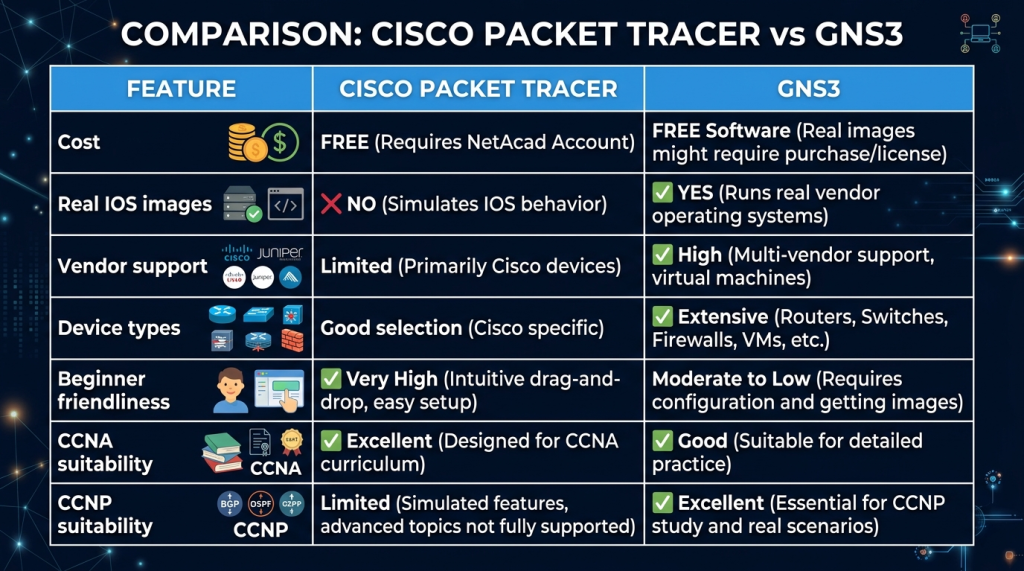
Beginner-Friendly Simulation (Packet Tracer) vs Real IOS Emulation Multi-Vendor (GNS3)
Cisco Packet Tracer vs GNS3 Comparison
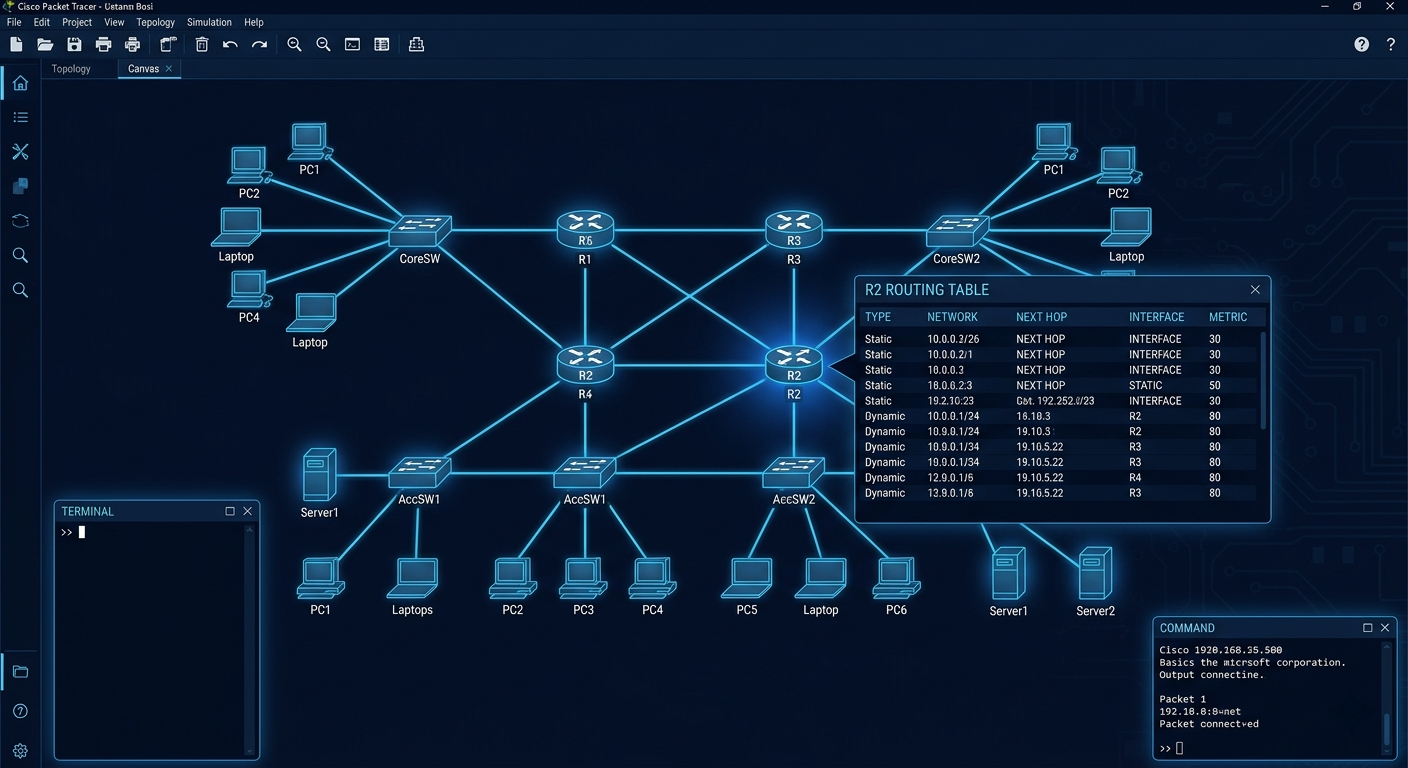
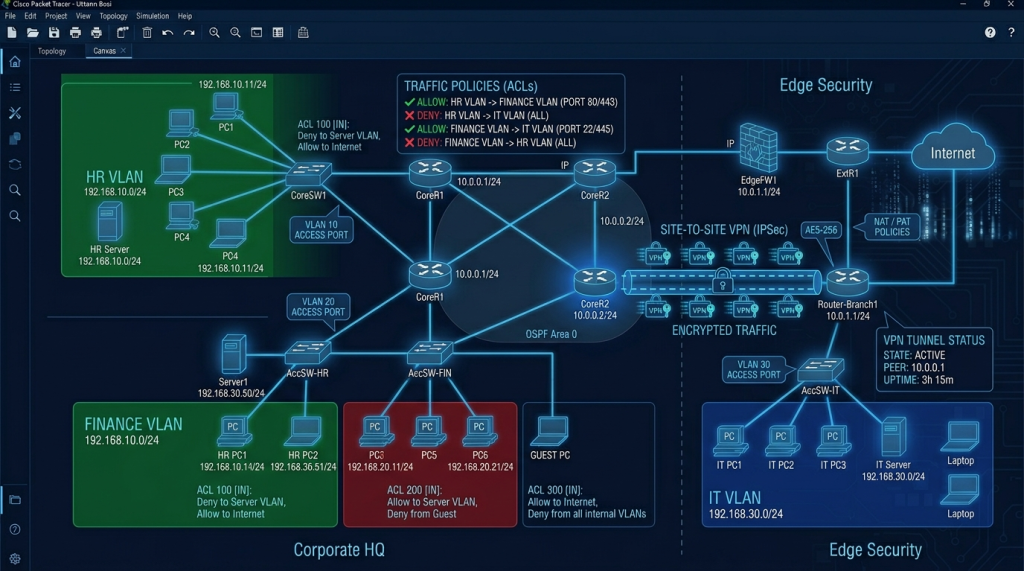
Two Routers, Three Switches, Six PCs, One Firewall — A Security-Focused Network Topology in Packet Tracer
Sample Packet Tracer Network Topology

Security Topics You Can Practice

Access Control Lists (ACLs)

Standard and extended ACLs filter traffic based on source IP, destination IP, protocol, and port. Practice configuring ACLs on router interfaces, testing traffic flows, and verifying only authorized traffic passes — without risking a production network.

VLANs and Inter-VLAN Routing

VLANs segment networks to limit broadcast domains and enforce traffic separation between departments. Practice creating VLANs, assigning ports, configuring trunk links, and implementing inter-VLAN routing.

VPN Configuration

Configure site-to-site IPSec VPNs between two simulated sites — complete with IKE phase 1 and phase 2 negotiation. Packet Tracer’s simulation mode lets you watch the VPN handshake happen packet by packet.

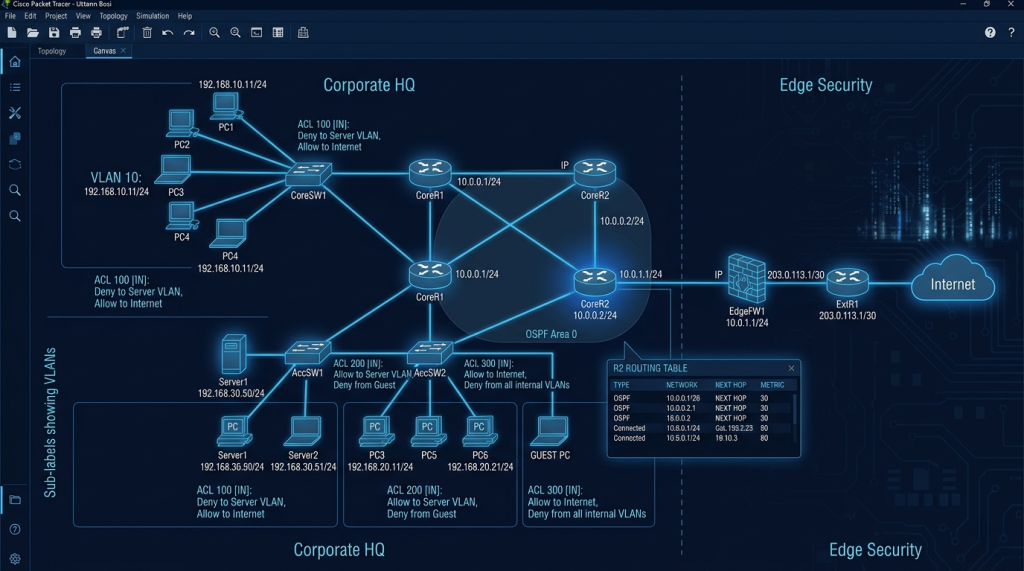
VLANs, ACLs, Site-to-Site VPN, and Port Security — Network Security Configurations in a Safe Environment
Security Lab Configuration in Packet Tracer

Layer 2 Security

Configure port security to prevent MAC flooding. Enable DHCP snooping to block rogue DHCP servers. Apply dynamic ARP inspection to prevent ARP spoofing. These Layer 2 controls appear in every network security assessment.

Certification Prep — What Packet Tracer Helps With

Certification How Packet Tracer Helps
CCNA (200-301)
Official lab tool — used in all Cisco NetAcad CCNA courses and textbook labs
CCST Networking
Recommended practice environment for CCST
CompTIA Network+
Network topology, routing, switching, troubleshooting — all directly relevant
CompTIA Security+
Network security concepts (ACLs, VPNs, segmentation) become practical
Fortinet NSE 4
Conceptual firewall and routing understanding that transfers to FortiGate configuration

Pricing

Cisco Packet Tracer is completely free. Download it from Cisco Networking Academy after creating a free NetAcad account at netacad.com. No payment required, no subscription, no trial period. Full functionality at no cost, including all device types, simulation modes, IoT modules, and multi-user functionality. For comparison, here is how Cisco’s simulation tools are priced:

Tool Price What You Get
Cisco Packet Tracer
Free
All device types, simulation modes, IoT module, multi-user mode. Free NetAcad account required.
GNS3
Free (software + VM)
Real IOS emulation, multi-vendor. IOS images may require Cisco license. FortiGate and MikroTik CHR are free.
Cisco Modeling Labs (CML)
From $199/year
Official Cisco virtual lab with real IOS. Enterprise topologies, CCNP and CCIE prep. The paid upgrade from Packet Tracer.
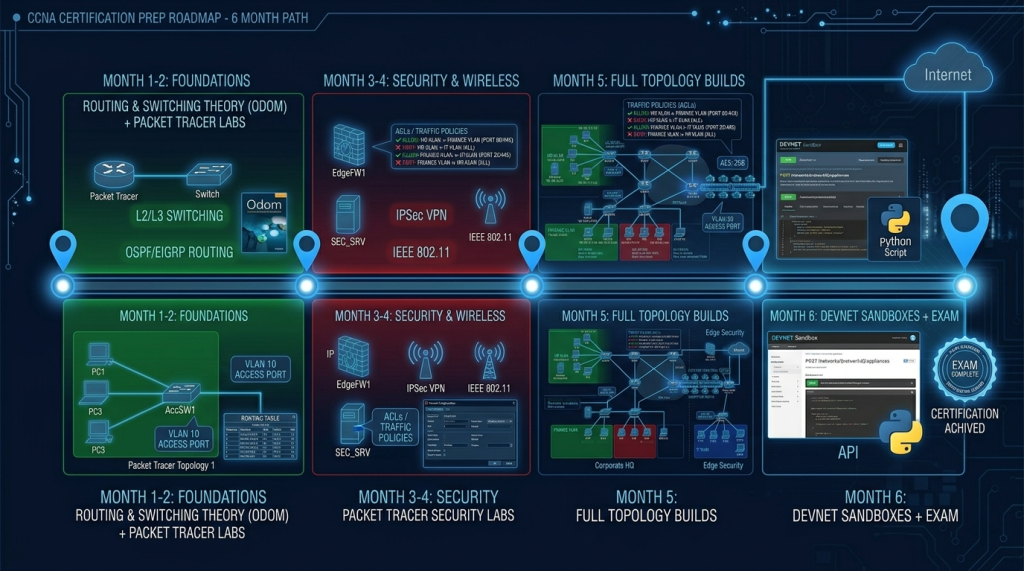
Month 1–2: Routing Theory + Labs → Month 3–4: Security Labs → Month 5: Full Topologies → Month 6: Exam
Six-Month CCNA Study Timeline Using Packet Tracer

Recommended Resources

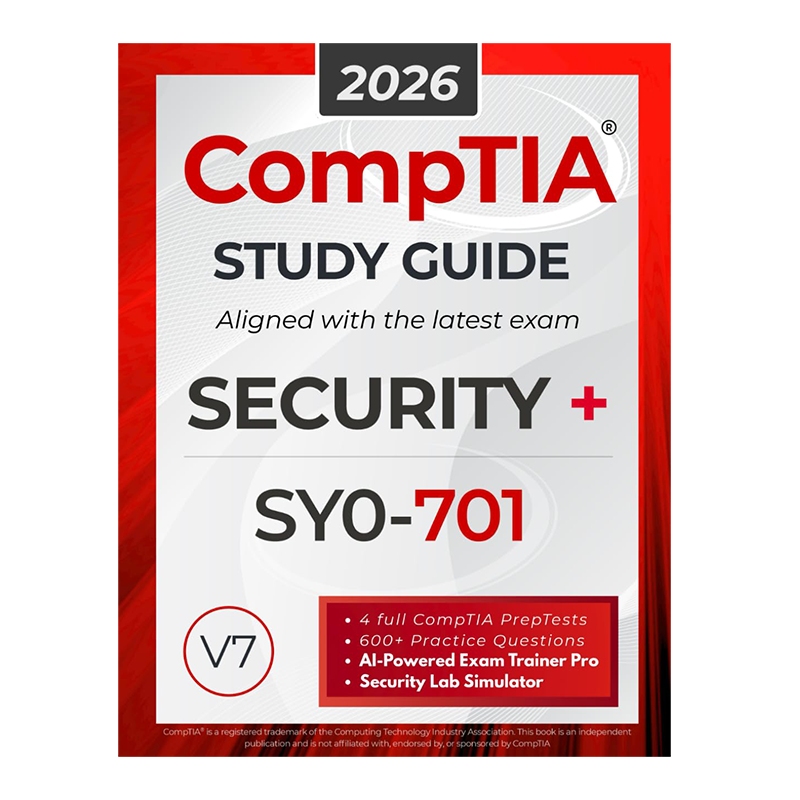
Official Study Guides

── SecVerse Marketplace — Networking Resources ──

Which Platform is Right for You?

If you want... Best Choice
You need real IOS images and multi-vendor simulation
GNS3 — emulates actual Cisco IOS, Fortinet, MikroTik, Juniper
You want enterprise-grade paid Cisco simulation
Cisco Modeling Labs (CML) — official Cisco virtual lab, from $199/year
You want offensive security practice on network concepts
Hack The Box — network-focused machines and Pro Labs
You want free official Cisco simulation for CCNA and CCST
Cisco Packet Tracer — this is the right choice

How to Get Started

  1. Create a free NetAcad account and download Packet Tracer. Go to netacad.com, create a free account, download for your OS. The intro course ‘Getting Started with Cisco Packet Tracer’ on Skills for All teaches the interface in 90 minutes.
  2. Build a simple three-router topology on day one. Place three routers, connect them, configure IP addresses, set up static routing, ping across all three. That’s your first working network — and it teaches the fundamentals of routing.
  3. Follow Jeremy’s IT Lab CCNA series with Packet Tracer open. Complete free CCNA course on YouTube with Packet Tracer lab files for every topic. Watch a section, pause, open Packet Tracer, do the lab. Theory-to-hands-on every day is how CCNA knowledge becomes permanent.

📌 Note: The information on this page — including certification details, exam codes, pricing, and salary ranges — is regularly reviewed and updated to reflect the latest data from official sources. Always verify current details directly with the relevant certification body or platform before making any decisions.

Community & Support

Related Articles

The 6 Learning Paths Every Cybersecurity Beginner Should Know

Affiliate Disclaimer: Some links in this article are affiliate links. This means if you click a link and make a purchase, SecVerse may earn a small commission — at no extra cost to you. We only recommend tools we genuinely believe in and that we consider useful for your cybersecurity learning journey. Our editorial opinions are never influenced by affiliate relationships. Introduction: **In our first guide**, we covered how to start learning cybersecurity without feeling overwhelmed. If you haven’t read it yet, start there. Now, let’s talk about which path to take once you’re ready. When I decided to get into cybersecurity 20 years ago after I graduated from school of engineering as computer engineer, I had no idea which path to take. I bought a CEH course first. Then I bought a Security+ book. Then I tried to learn networking. I was all over the place. Don’t be me.

Read More »

How to Start Learning Cybersecurity Without Feeling Overwhelmed

Affiliate Disclaimer: Some links in this article are affiliate links. This means if you click a link and make a purchase, SecVerse may earn a small commission — at no extra cost to you. We only recommend tools we genuinely believe in and that we consider useful for your cybersecurity learning journey. Our editorial opinions are never influenced by affiliate relationships. Introduction: The Overwhelm is Real (But Avoidable) Let’s be honest with ourselves to avoid the shock and be realistic. Cyber security is huge, branching, and massive field. When I decided to get and start in this field 20 years ago. I made every mistake imaginable: Bought expensive courses I never finished. Tried to learn everything at once – pentesting, malware analysis, cloud security, forensics. All in short time. Got trapped in “tutorial”- watching videos for hours but never actually doing anything because of not practicing them and being confused.

Read More »