Over The Wires

Home > Resources > Virtual Labs > Over The Wires
SSH In, Find the Password, Unlock the Next Level — The Wargame Format That Built a Generation of Security Professionals
OverTheWire — Where Security Practitioners Begin

What is OverTheWire?

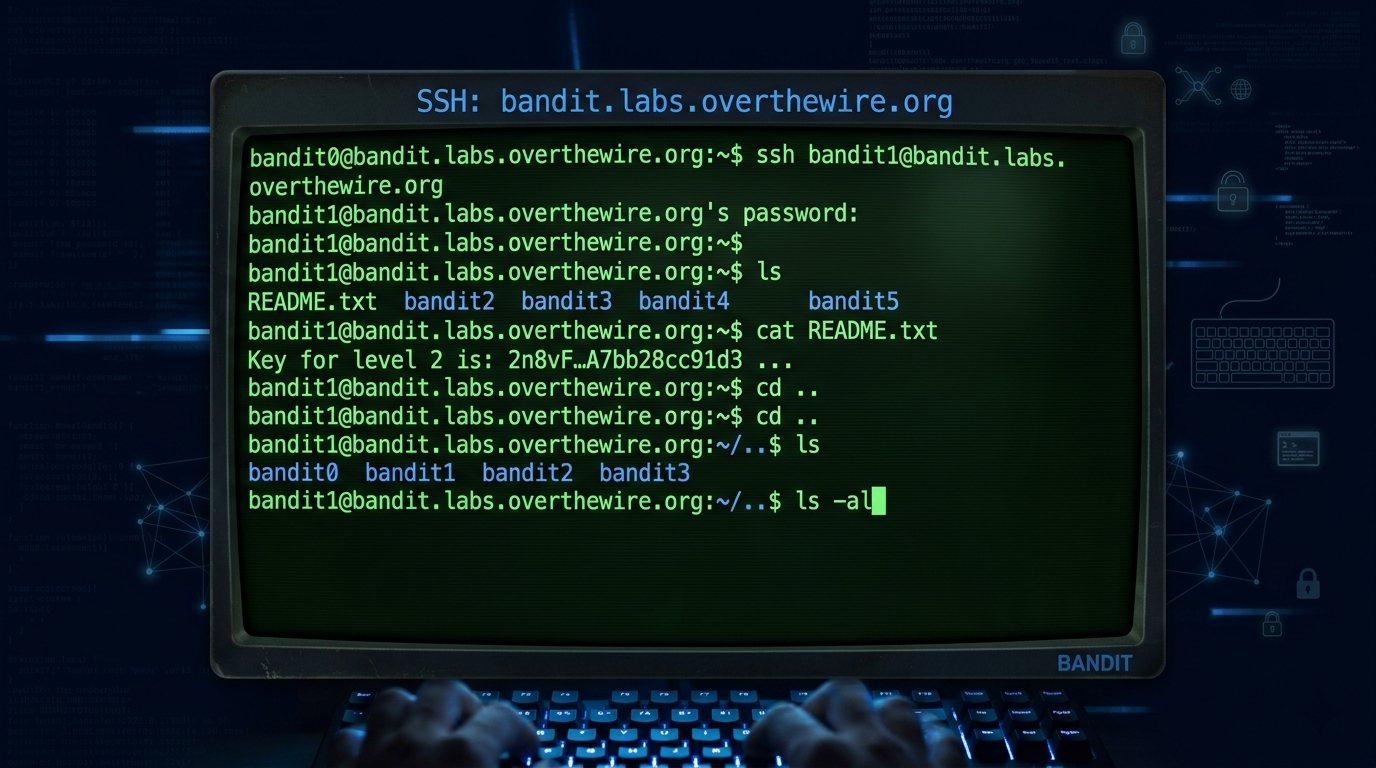
OverTheWire is one of the oldest and most respected wargame platforms in the security community. Wargames are a series of increasingly difficult security challenges — each level requires you to find a password or flag that unlocks the next level. No accounts required, no GUI, no guided instructions. Just SSH into a remote server and figure out how to progress.

Founded by the security community and maintained for decades, OverTheWire hosts multiple wargame series targeting different skill areas. The Bandit series — the starting point — is widely recognized as the single best way to build Linux command line skills for security purposes. It’s what many practitioners recommend before TryHackMe, before picoCTF, before anything else.

Is This Right for You?

This is for you if...

  • You’re brand new to Linux and want to build command line confidence through hands-on challenges
  • You want completely free wargame challenges with no account required — just SSH and start
  • You learn by doing and struggling — OverTheWire gives you no hand-holding whatsoever
  • You want to build the Linux fundamentals that every other security platform assumes you already have
  • You’re a student or self-learner who wants structured challenge progression without paying anything

This is NOT for you if...

  • You’re already comfortable with Linux — Bandit will feel too simple; jump straight to TryHackMe or HTB
  • You want a visual interface — OverTheWire is entirely terminal-based
  • You want guided tutorials and hint systems — OverTheWire provides minimal help by design

Wargame Series Overview

Wargame Levels Focus Skill Level Entry Point
Bandit
34 levels
Linux fundamentals — files, permissions, SSH, bash, networking basics
Absolute beginner
SSH: bandit.labs.overthewire.org port 2220
Natas
34 levels
Web security — PHP source code, SQL injection, XSS, file inclusion
Beginner–Intermediate
Browser-based (no SSH)
Leviathan
7 levels
Linux exploitation — SUID binaries, ltrace, basic binary exploitation
Beginner–Intermediate
SSH: leviathan.labs.overthewire.org
Krypton
7 levels
Cryptography — classical ciphers, frequency analysis
Beginner
SSH: krypton.labs.overthewire.org
Narnia
9 levels
Binary exploitation — buffer overflows, C source code analysis
Intermediate
SSH: narnia.labs.overthewire.org
Behemoth
8 levels
Binary exploitation — advanced SUID exploitation
Intermediate–Advanced
SSH: behemoth.labs.overthewire.org
Utumno
8 levels
Binary exploitation — advanced techniques, shellcode
Advanced
SSH: utumno.labs.overthewire.org
Maze
9 levels
Advanced binary and code analysis
Advanced
SSH: maze.labs.overthewire.org
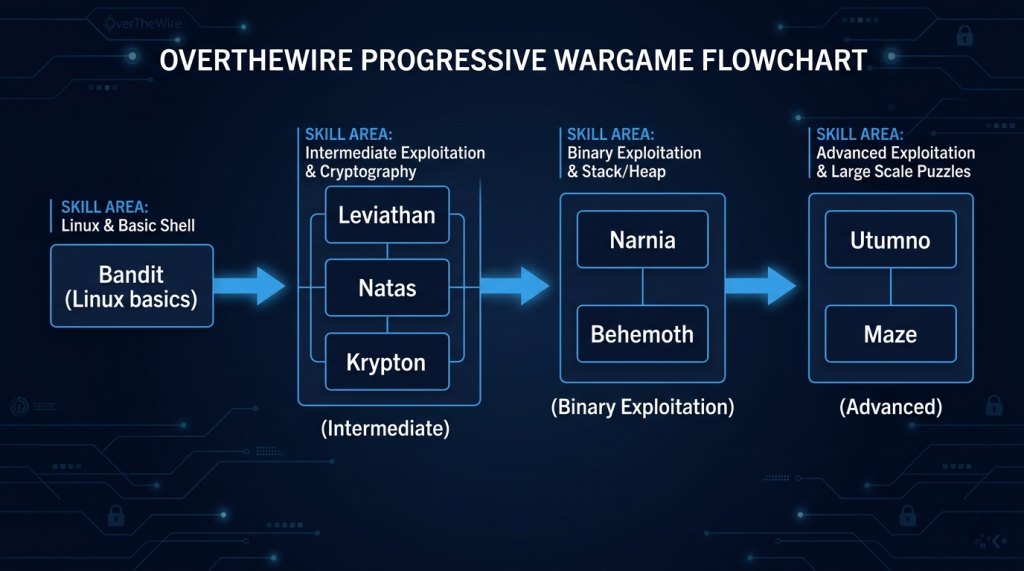
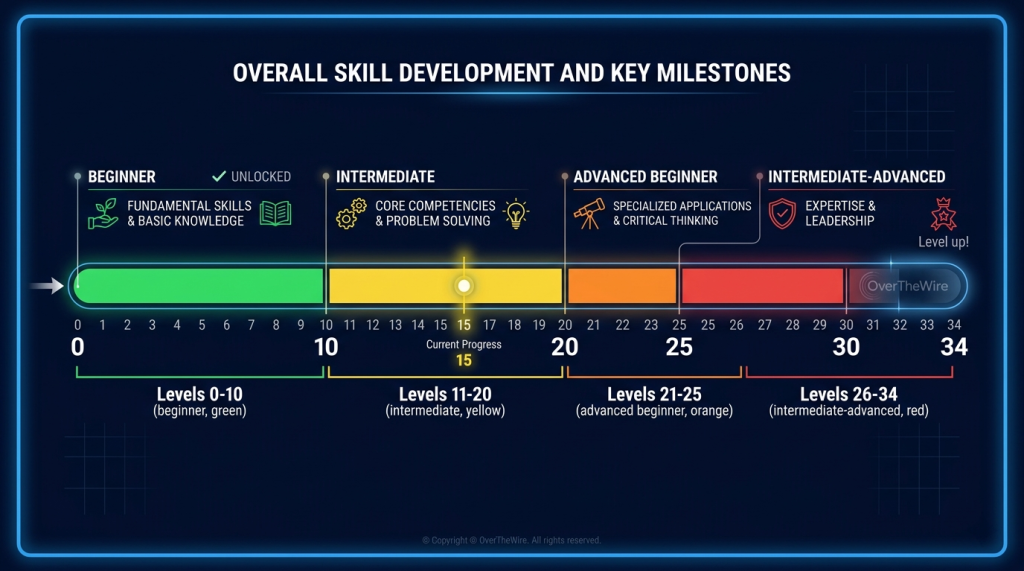
Bandit (Linux) → Leviathan / Natas / Krypton (Intermediate) → Narnia / Behemoth (Binary Exploitation) → Advanced
OverTheWire Wargame Series Progression Map

Bandit — Where Everyone Starts

Bandit is the mandatory starting point. It has 34 levels, each requiring you to find a password hidden somewhere on a Linux system. To get the password, you need to use Linux commands, understand file permissions, read man pages, work with SSH keys, decode encoded data, and eventually redirect network traffic.

By the time you complete Bandit Level 34, you will have used: ls, cat, find, grep, sort, uniq, strings, base64, tr, gzip, bzip2, tar, xxd, ssh, nc, openssl, git, cron, and more. Not in a tutorial — in practice, solving real problems.

What Bandit Teaches by Level Range

Level Range Core Skills Introduced
0–10
Basic file navigation, reading files, finding hidden files, file permissions
11–20
Encoding/decoding (base64, ROT13), SSH keys, port connections, SUID files
21–25
Cron jobs, bash scripting, process analysis, setuid exploitation
26–34
Advanced SSH, git repositories, vim escaping, shell access via limited environments
Levels 0–10 (File Navigation) → 11–20 (SSH, Encoding) → 21–25 (Scripting, Cron) → 26–34 (Advanced Shell Access)
Bandit Level Progression by Skill Area

Platform Features

Feature Details
Cost
Completely free — no account, no registration required
Access method
SSH directly from any terminal — Linux, Mac, Windows (using PuTTY or WSL)
Availability
24/7 — servers are always up, no time limits, no session expiry
Hint system
No official hints — community walkthroughs available online for when you’re truly stuck
Account required
None — just SSH with the provided credentials for Level 0
Active development
Community-maintained — new levels and fixes added periodically

Certification Prep — What OverTheWire Helps With

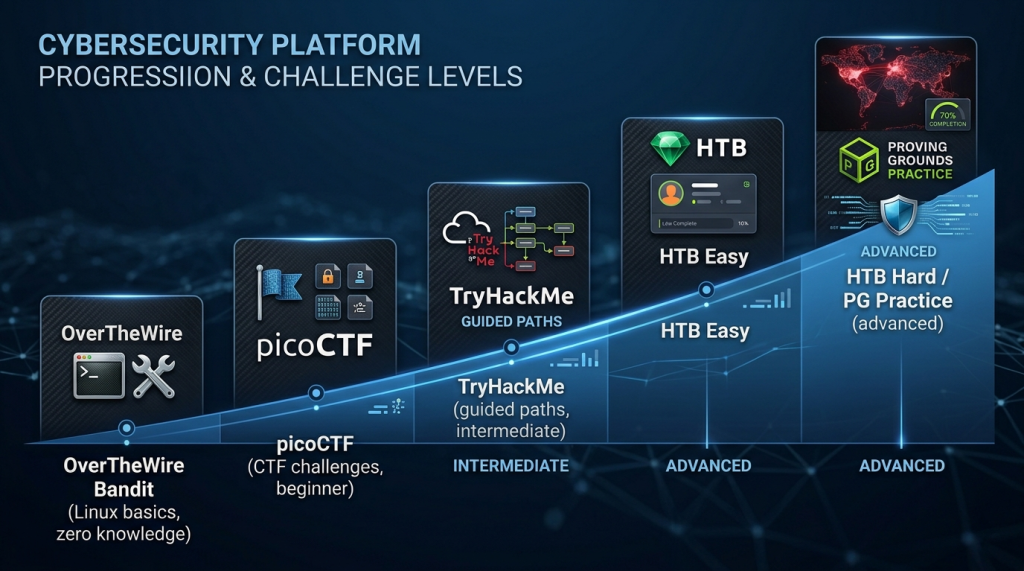
OverTheWire and picoCTF (Beginner) → TryHackMe (Intermediate) → HTB Easy → HTB Hard and PG Practice (Advanced)
OverTheWire Platform Progression Map
Certification / Path How OverTheWire Helps
CompTIA Linux+
Bandit directly teaches the Linux command line skills Linux+ tests
CompTIA Security+
Linux fundamentals from Bandit underpin many Security+ practical concepts
OSCP
Bandit is frequently recommended as OSCP prerequisite preparation — Linux comfort is essential
TryHackMe Pre-Security / Beginner paths
Bandit gives you the Linux command line confidence to breeze through THM’s foundational rooms
picoCTF General Skills category
Bandit teaches the same Linux skills picoCTF’s General Skills challenges test

Recommended Resources

── SecVerse Marketplace — Resources ──

Which Platform is Right for You?

OverTheWire is the right choice when you are an absolute beginner who needs Linux command line confidence before anything else. Here is how it compares:

If you want... Best Choice
You want guided learning paths with in-browser machines
TryHackMe — structured paths, no terminal setup needed
You want free CTF challenges with educational design
picoCTF — Carnegie Mellon’s student-focused CTF platform
You want competitive unguided machines for intermediate practitioners
Hack The Box — the next destination after OverTheWire
You want free wargames that build Linux fundamentals from zero
OverTheWire — this is the right choice

How to Get Started

  1. SSH into Bandit Level 0 right now. Open a terminal (or PuTTY on Windows). Type: ssh [email protected] -p 2220. Password: bandit0. You’re in. The instructions for Level 0 are on the OverTheWire website. Go find the password for Level 1.
  2. Struggle before you look up answers. Spend at least 20–30 minutes on each level before looking for help. The frustration of not knowing a command, searching the man page, trying different options, and finally figuring it out — that’s the learning. Community walkthroughs exist for when you’re genuinely stuck after real effort.
  3. Complete Bandit before moving to any other security platform. When you finish Bandit Level 34, you will be genuinely comfortable with the Linux command line. That comfort is the prerequisite for TryHackMe, picoCTF, HTB Starting Point, and virtually every other security practice platform. Don’t skip it.

📌 Note: The information on this page — including certification details, exam codes, pricing, and salary ranges — is regularly reviewed and updated to reflect the latest data from official sources. Always verify current details directly with the relevant certification body or platform before making any decisions.

Community & Support

Related Articles

The 6 Learning Paths Every Cybersecurity Beginner Should Know

Affiliate Disclaimer: Some links in this article are affiliate links. This means if you click a link and make a purchase, SecVerse may earn a small commission — at no extra cost to you. We only recommend tools we genuinely believe in and that we consider useful for your cybersecurity learning journey. Our editorial opinions are never influenced by affiliate relationships. Introduction: **In our first guide**, we covered how to start learning cybersecurity without feeling overwhelmed. If you haven’t read it yet, start there. Now, let’s talk about which path to take once you’re ready. When I decided to get into cybersecurity 20 years ago after I graduated from school of engineering as computer engineer, I had no idea which path to take. I bought a CEH course first. Then I bought a Security+ book. Then I tried to learn networking. I was all over the place. Don’t be me.

Read More »

How to Start Learning Cybersecurity Without Feeling Overwhelmed

Affiliate Disclaimer: Some links in this article are affiliate links. This means if you click a link and make a purchase, SecVerse may earn a small commission — at no extra cost to you. We only recommend tools we genuinely believe in and that we consider useful for your cybersecurity learning journey. Our editorial opinions are never influenced by affiliate relationships. Introduction: The Overwhelm is Real (But Avoidable) Let’s be honest with ourselves to avoid the shock and be realistic. Cyber security is huge, branching, and massive field. When I decided to get and start in this field 20 years ago. I made every mistake imaginable: Bought expensive courses I never finished. Tried to learn everything at once – pentesting, malware analysis, cloud security, forensics. All in short time. Got trapped in “tutorial”- watching videos for hours but never actually doing anything because of not practicing them and being confused.
Read More »