
Affiliate Disclaimer: Some links in this article are affiliate links. This means if you click a link and make a purchase, SecVerse may earn a small commission — at no extra cost to you. We only recommend tools we genuinely believe in and that we consider useful for your cybersecurity learning journey. Our editorial opinions are never influenced by affiliate relationships.
Introduction:
**In our first guide**, we covered how to start learning cybersecurity without feeling overwhelmed. If you haven’t read it yet, start there.
Now, let’s talk about which path to take once you’re ready. When I decided to get into cybersecurity 20 years ago after I graduated from school of engineering as computer engineer, I had no idea which path to take.
I bought a CEH course first. Then I bought a Security+ book. Then I tried to learn networking. I was all over the place. Don’t be me.
Here is the truth I learned after 10 years with working and practicing:
You don’t need to know every path. You just need to pick one and commit.
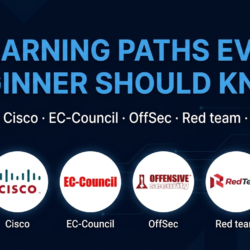
This guide breaks down 6 proven learning paths. Each one leads to a different career direction. Pick one. Stick with it for 3-6 months. Then decide if you want to explore another.
Why You Need a Learning Path (Not Random Courses)
When I started, I jumped between topics randomly. I wasted months, time and thousands of dollars on courses I never finished.
A good learning path does three things:
- It prioritizes – You learn what matters first
- It sequences – Each skill builds on the previous one
- It filters – You ignore what you don’t need yet
So, you have decided to learn cybersecurity. Now what?
Here is the truth: You need a learning path.
A learning path gives you direction. It tells you what to learn, in what order, and why. Without one, you will waste time, money, and motivation.
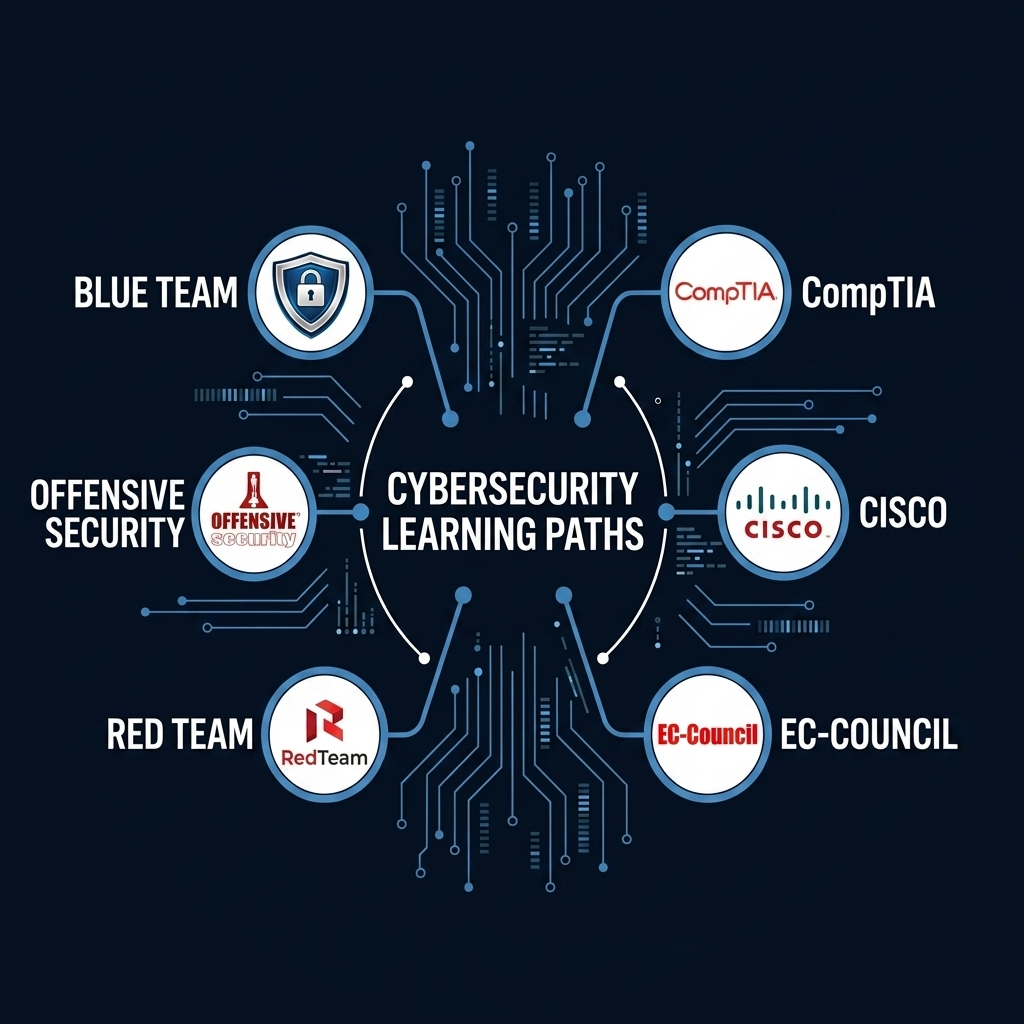
This guide breaks down 6 proven learning paths. Each one leads to a different career direction. Pick one. Stick with it for 3-6 months. Then decide if you want to explore another.
The Cost of Learning Without Direction
When I started, I had no plan. I bought whatever course looked interesting. I watched random YouTube videos. I tried to learn everything at once.
The result? Burnout in three months. Thousands of dollars wasted. And I still couldn’t answer basic questions like “What is a three-way handshake?”
Learning without a path is like driving without a map. You might eventually arrive somewhere, but you will waste a lot of time and gas.
How Learning Paths Save You Time and Money
A good learning path does three things:
- It prioritizes – You learn what matters first
- It sequences – Each skill builds on the previous one
- It filters – You ignore what you don’t need yet
With a path, you stop guessing. You just execute.
Learning Path #1: CompTIA – The Foundation
CompTIA is the most popular starting point for IT and cybersecurity beginners. Their certifications are vendor-neutral, meaning you learn principles that apply everywhere – not just to one company’s products.
Who Is This Path For?
- Absolute beginners with no IT background
- Career changers who need foundational credentials
- Anyone seeking entry-level IT or security roles (help desk, SOC analyst Level 1)
- Military and government personnel needing DoD-approved certifications
The Certification Roadmap

| Certification | Difficulty | What It Covers | Time Estimate |
|---|---|---|---|
|
ITF+ |
Beginner |
IT basics, software development, databases |
1-2 months |
|
A+ (Core 1 + Core 2) |
Beginner |
Hardware, troubleshooting, operating systems, networking |
2-3 months |
|
Network+ |
Beginner-Intermediate |
Networking concepts, infrastructure, troubleshooting |
2-3 months |
|
Security+ |
Intermediate |
Security concepts, threats, cryptography, risk management |
2-3 months |
|
CySA+ |
Intermediate-Advanced |
Security analytics, intrusion detection, response |
2-3 months |
|
PenTest+ |
Advanced |
Penetration testing, vulnerability assessment |
2-3 months |
|
CASP+ / SecurityX |
Advanced |
Security architecture, engineering, enterprise security |
3-4 months |
My Experience with CompTIA
As an entrance to the field and after searching and consulting many people I decided to start with available CompTIA courses step by step starting with A+ then N+ then when I felt I’m ready for S+ I earned my Security+ after 4 months of studying nights and weekends. The exam was harder than I expected – not because the content was complex, but because the questions were situational. You need to know not just what the answer is, but why.
Or if you don’t have this certification: I never took the official exam, but I studied the material. The knowledge helped me understand fundamentals before moving to hands-on work.
Key Skills You'll Gain
- IT fundamentals and hardware troubleshooting
- Networking (TCP/IP, DNS, routing, switching)
- Security concepts (threats, vulnerabilities, cryptography)
- Incident response and threat hunting
- Penetration testing methodology
Recommended Resources
| Resource | Type | Link |
|---|---|---|
|
Professor Messer |
Free video courses |
|
|
CompTIA Security+ Study Guide |
Book |
|
|
Jason Dion Practice Exams |
Course |
|
|
CertMaster Labs |
Hands-on labs |
Learning Path #2: Cisco – The Network Security Standard
Cisco powers over 85% of the world’s internet traffic. Their certifications are the gold standard for network professionals. If you want to specialize in network security, this path is for you.
Who Is This Path For?
- IT professionals wanting to specialize in networking
- Security engineers focused on network defense
- Anyone working with enterprise networks
- Those seeking high-paying network security roles
The Certification Roadmap

| Certification | Difficulty | What It Covers | Time Estimate |
|---|---|---|---|
|
CCST (Networking or Cybersecurity) |
Beginner |
Foundational networking or security concepts |
1-2 months |
|
CCNA |
Intermediate |
Network access, IP connectivity, security fundamentals, automation |
3-4 months |
|
CCNP Security |
Advanced |
Secure network design, VPNs, firewalls, ISE, cloud security |
4-6 months |
|
CCIE Security |
Expert |
End-to-end security architecture, lab exam |
6-12 months |
My Experience with Cisco
After I finished CompTIA courses and earned S+ certification, I worked in the field for a couple of years. Then I started preparing for Networking specially CCNA as start. CCNA took me 6 months. I failed the first attempt. The simulators crushed me. But passing it opened doors I didn’t know existed. Then after getting the experience during the course, I decided to move to the next step in networking.
Or if you don’t have this certification: I never took the official CCNA exam, but I learned the material through hands-on practice with Packet Tracer. The knowledge matters more than the paper.
Key Skills You'll Gain
- Network design and troubleshooting
- Router and switch configuration
- Firewall deployment and management
- VPN implementation (IPsec, SSL)
- Identity management (Cisco ISE)
- Network automation and programmability
Recommended Resources
| Resource | Type | Link |
|---|---|---|
|
CCNA Official Cert Guide (Wendell Odom) V1 |
Book |
|
|
CCNA Official Cert Guide (Wendell Odom) V2 |
Book |
|
|
Packet Tracer |
Free simulator |
|
|
Jeremy’s IT Lab |
Free YouTube course |
|
|
Boson ExSim |
Practice exams |
Learning Path #3: EC-Council – The Ethical Hacking Experts
EC-Council created the Certified Ethical Hacker (CEH), one of the most recognized entry-level hacking certifications. Their path focuses on offensive security methodology.
Who Is This Path For?
- Aspiring ethical hackers and penetration testers
- Security professionals needing DoD-approved credentials
- Those seeking compliance-focused security roles
- Beginners wanting a structured hacking curriculum
The Certification Roadmap

| Certification | Difficulty | What It Covers | Time Estimate |
|---|---|---|---|
|
CEH (Theory) |
Intermediate |
Ethical hacking methodology, tools, phases |
2-3 months |
|
CEH Practical |
Intermediate |
6-hour hands-on exam |
1 month prep |
|
ECSA |
Advanced |
Advanced penetration testing, report writing |
2-3 months |
|
CHFI |
Advanced |
Digital forensics, investigation techniques |
2-3 months |
|
LPT Master |
Expert |
24-hour practical penetration testing exam |
3-4 months |
|
CCISO |
Executive |
CISO-level management, governance, risk |
4-6 months |
My Experience with EC-Council
After couple years of getting the S+ and CCNP security It felt like a natural next step. The exam is theory-heavy – know your tools, phases, and methodologies.
Or if you don’t have this certification: I studied CEH material but never took the exam. The methodology is valuable, but I preferred hands-on practice over theory.
Key Skills You'll Gain
- Ethical hacking methodology (5 phases)
- Footprinting and reconnaissance
- Network and web application scanning
- Exploitation techniques
- Post-exploitation and reporting
- Digital forensics (CHFI track)
Recommended Resources
| Resource | Type | Link |
|---|---|---|
|
CEH v12 Study Guide (Ric Messier) |
Book |
|
|
CEH Practical iLabs |
Hands-on labs |
|
|
Udemy CEH Prep Courses |
Video courses |
Learning Path #4: Offensive Security – The OSCP Standard
Offensive Security created Kali Linux and the OSCP exam – the most respected hands-on penetration testing certification in the industry. No multiple choice. Pure practical.
Who Is This Path For?
- Serious penetration testers who want to prove practical skills
- Red teamers and offensive security professionals
- Anyone targeting the OSCP certification
- Those who learn by doing, not by memorizing
The Certification Roadmap
| Certification | Difficulty | What It Covers | Time Estimate |
|---|---|---|---|
|
OSCP (PEN-200) |
Advanced |
24-hour practical exam, network penetration testing, buffer overflows |
3-6 months |
|
OSWA (WEB-200) |
Advanced |
Web application attacks, XXE, SSRF, deserialization |
2-3 months |
|
OSEP (PEN-300) |
Expert |
Advanced evasion, lateral movement, bypassing defenses |
3-4 months |
|
OSED (EXP-301) |
Expert |
Windows user-mode exploit development |
3-4 months |
|
OSWE (EXP-312) |
Expert |
Advanced web exploitation |
3-4 months |
My Experience with Offensive Security
OSCP is the only cert that truly tested me even after getting master degree in information security engineering. 24 hours. No breaks. I still remember the feeling when I got the final flag.
Or if you don’t have this certification: I don’t have OSCP yet. But I respect everyone who does. It’s on my list. In the meantime, I practice on Hack The Box and Proving Grounds.
Key Skills You'll Gain
- Network penetration testing methodology
- Buffer overflow exploitation
- Privilege escalation (Windows and Linux)
- Active Directory attacks
- Web application security testing
- Evasion techniques
Recommended Resources
| Resource | Type | Link |
|---|---|---|
|
PEN-200 Course + Lab |
Official training |
|
|
Proving Grounds Practice |
Lab machines |
|
|
TryHackMe |
Beginner practice |
|
|
Hack The Box |
Advanced practice |
Learning Path #5: Red Team – Offensive Security Specialization
Red teamers emulate real adversaries. They think like attackers. They break things for a living – but with permission. Their goal is to test an organization’s detection and response capabilities, not just find vulnerabilities.
Who Is This Path For?
- Aspiring red teamers and adversary emulators
- Penetration testers wanting to advance
- Those who enjoy breaking things and thinking like an attacker
The Certification Roadmap

| Phase | Focus | Time |
|---|---|---|
|
1 |
Fundamentals (Linux, networking, scripting) |
2-3 months |
|
2 |
OSCP or PNPT certification |
3-6 months |
|
3 |
Cobalt Strike, evasion, custom tooling |
2-3 months |
|
4 |
Cloud, physical, or social engineering specialization |
2-3 months |
My Experience with Red Team
I learned red team skills by doing. Hack The Box. Proving Grounds. Breaking my own lab. Every box I root teaches me something new.
Key Skills You'll Gain
- Adversary emulation
- Command and control (C2) frameworks
- Evasion techniques
- Social engineering
- Physical security testing
Recommended Resources
- TCM Security Practical Ethical Hacking
- Hack The Box
- Cobalt Strike (licensed)
Learning Path #6: Blue Team – Defensive Security Specialization
Blue teamers defend. They monitor networks, analyze alerts, and respond to incidents. Their goal is to protect the organization and detect attackers before they cause damage. Think SOC analysts, incident responders, and threat hunters.
Who Is This Path For?
- Aspiring SOC analysts
- Incident responders
- Threat hunters
- Those who enjoy protecting and defending
Blue Team Roadmap
| Phase | Focus | Time |
|---|---|---|
|
1 |
Fundamentals (Security+, networking) |
2-3 months |
|
2 |
SOC skills (SIEM, EDR, log analysis) |
3-6 months |
|
3 |
CySA+ certification |
2-3 months |
|
4 |
Threat hunting, incident response specialization |
2-3 months |
My Experience with Blue Team
My SOC experience taught me more than any certification. Reading logs, spotting anomalies, responding to incidents under pressure – that’s where real learning happens.
Key Skills You'll Gain
- SIEM operations (Splunk, Elastic)
- Endpoint detection and response (EDR)
- Log analysis and alert triage
- Threat hunting methodologies
- Incident response procedures
Recommended Resources
- Blue Team Labs Online
- TryHackMe SOC Path
- Splunk Fundamentals
How to Choose the Right Path for You
Ask Yourself These 3 Questions
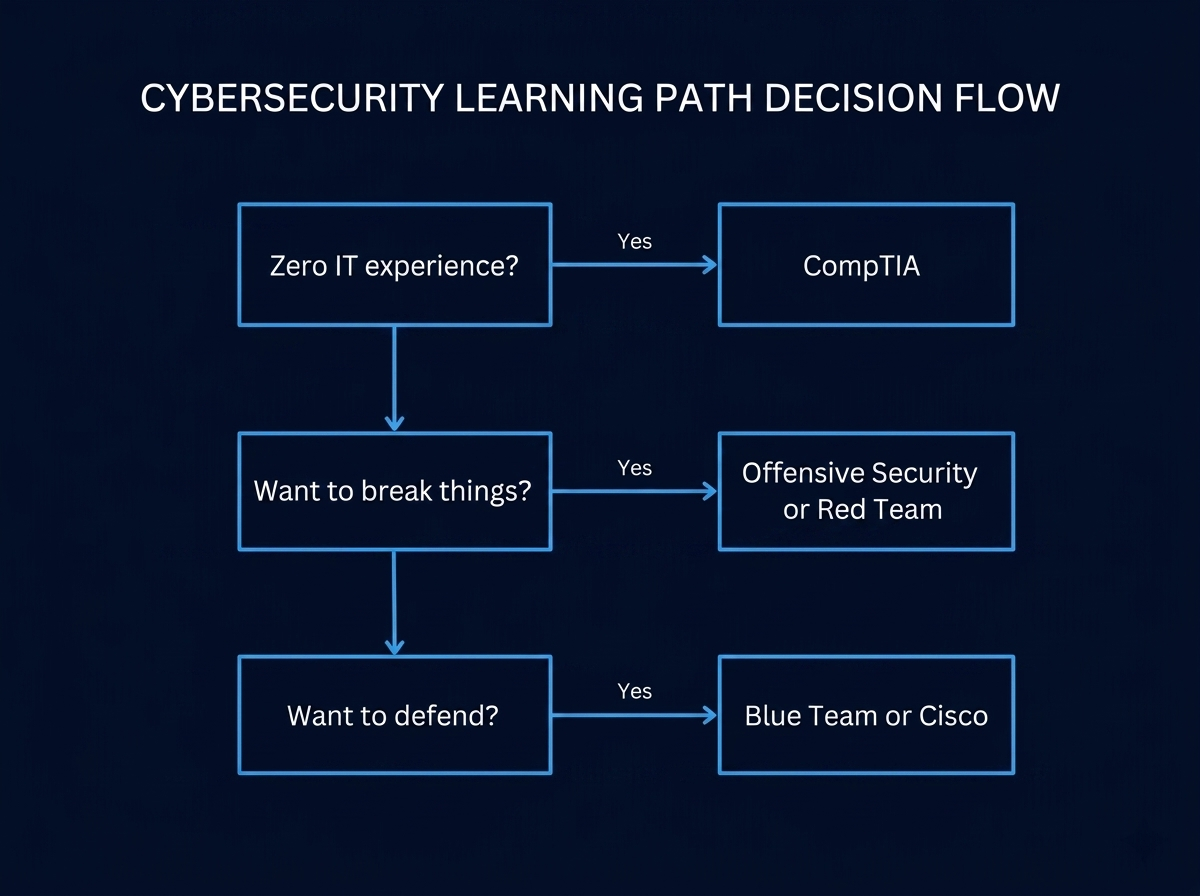
| Question | Your Answer | Suggested Path |
|---|---|---|
|
Do you have zero IT experience? |
Yes → |
CompTIA (start with A+ or Security+) |
|
Do you want to break things? |
Yes → |
Offensive Security or Red Team |
|
Do you want to defend and protect? |
Yes → |
Blue Team or Cisco |
The "Start Here" Recommendation
If you have no idea where to start:
Start with CompTIA Security+.
Why? It gives you a broad foundation that applies to every other path. You learn the vocabulary, concepts, and basic security principles. Then you can specialize based on what you enjoy most.
From Security+, you can go:
- Offensive → OSCP or CEH
- Defensive → CySA+ or Blue Team
- Networking → Cisco CCNA
- Management → CISSP (later)
Final Thoughts
There is no “wrong” path. There is only the path you actually start and finish.
Pick one. Commit to it for 3-6 months. Ignore the others until you finish. Then evaluate.
The best learning path is the one you stick with.
Ready to start? Explore our complete learning paths for CompTIA, Cisco, EC-Council, Offensive Security, Red Team, and Blue Team.
What’s Next?
You’ve chosen your path. Now you need the right tools.
Before you build a home lab, you need to know what to buy – and what to skip.
In our next guide, we’ll cover the essential hardware tools every beginner should own. No fluff. No expensive gear you don’t need. Just what actually works.
👉 Read Next: “Beginner Hardware Tools That Teach Real Security Concepts” (coming soon)
“This article contains affiliate links. See our full disclaimer policy.”